How Do I Change My PayKickstart Password?
Written By Carlos
Last updated About 1 year ago
There are 2 options to change your PayKickstart Account password.
Option #1: While you are logged in
Option #1: While you are logged in
Log in to your account.
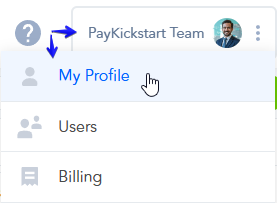
Click on your Profile section, and select the My Profile option in the top right corner of the platform.
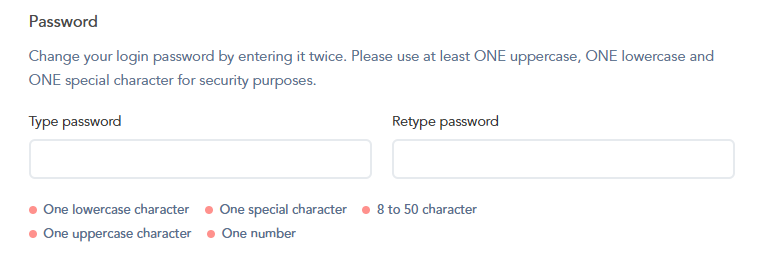
In your Profile section, you can type in your New Password twice to change your current account’s password:
Option #2: In case you Forgot Your Password
Option #2: In case you Forgot Your Password
If you forgot your password and cannot log in, please click here.
You will receive an email with instructions on how to reset your password.
Please Note:
Changing your password by either of these two options
will only change your main PayKickstart account password.
It will NOT change the password of your staff user accounts (if applicable).
These two systems work independently of each other.
Was this helpful?
Still need help? Ask the team