Integrating With Amazon SES To Send Transactional Email Notifications
Written By Angela L
Last updated 9 months ago
Amazon SES (Simple Email Service) is a reliable way to make sure your customers get important emails, like receipts. By connecting SES with PayKickstart, you can improve email deliverability and ensure that your notifications reach the inbox instead of the spam folder.
In this guide, we’ll show you step-by-step how to set up Amazon SES inside your PayKickstart account so you can start sending transactional emails right away.
Important Note:
Your Amazon SES account cannot be in sandbox mode for the integration to work. Learn more about moving SES out of sandbox mode here.
Step 1: Selecting Amazon SES on the Main Integration page
Step 1: Selecting Amazon SES on the Main Integration page
In your PayKickstart account, go to Configure → Integrations.
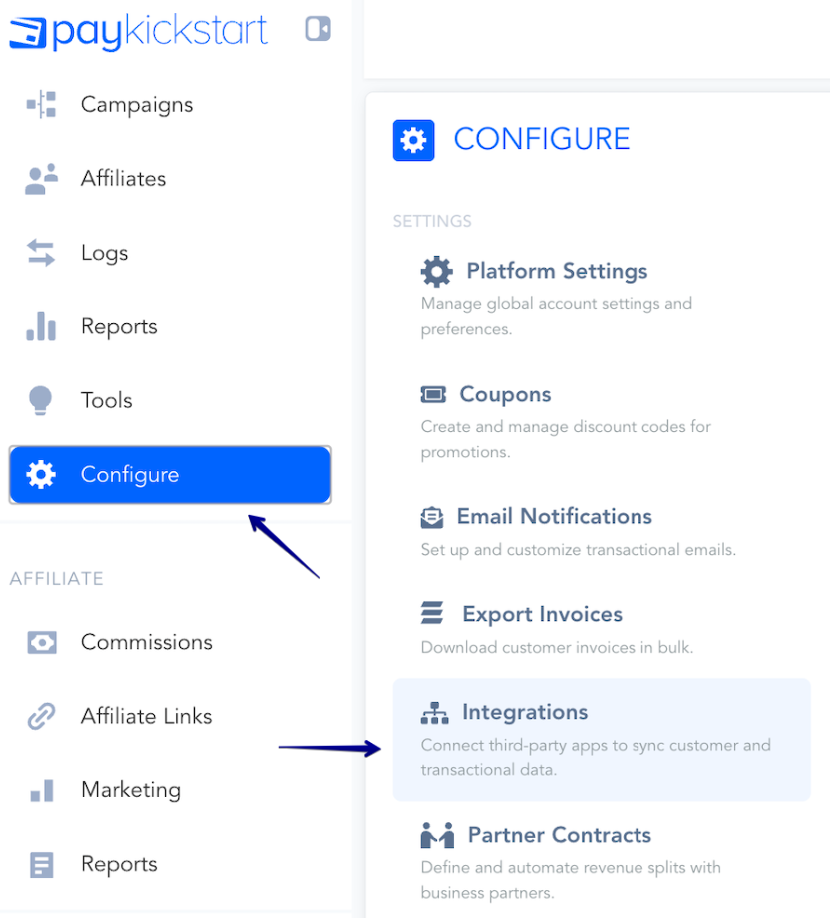
First, you’ll need to integrate on your main integration page.
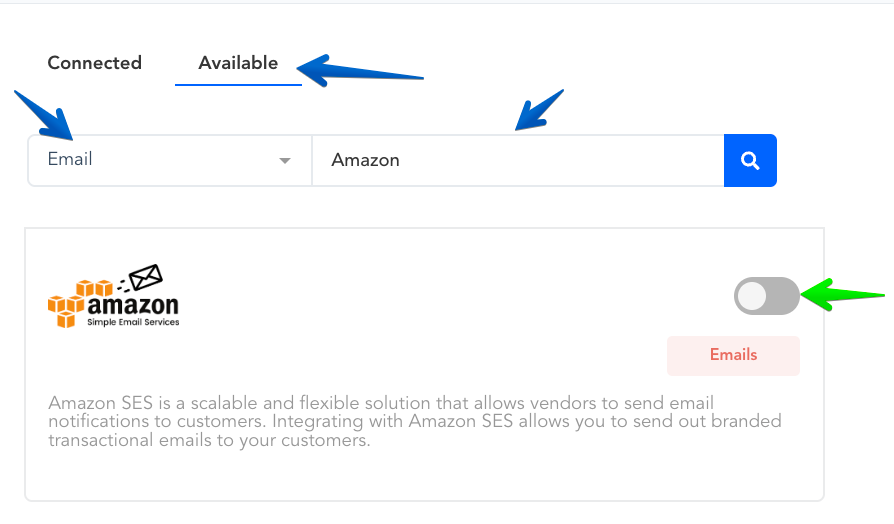
Inside the Integrations menu, make sure to click on the Available tab.
Then, find the Email category in the filter, and scroll down to locate Amazon SES.
You can also search for Amazon SES directly within the Search field.
Enable Amazon SES by clicking the toggle switch.:
Step 2: Authorizing the Amazon SES integration
Step 2: Authorizing the Amazon SES integration
A pop-up window will appear asking for your Amazon SES account details.
Account Name: Enter a name for internal reference.
This is only for display purposes inside PayKickstart
(e.g., "My Amazon SES Integration").
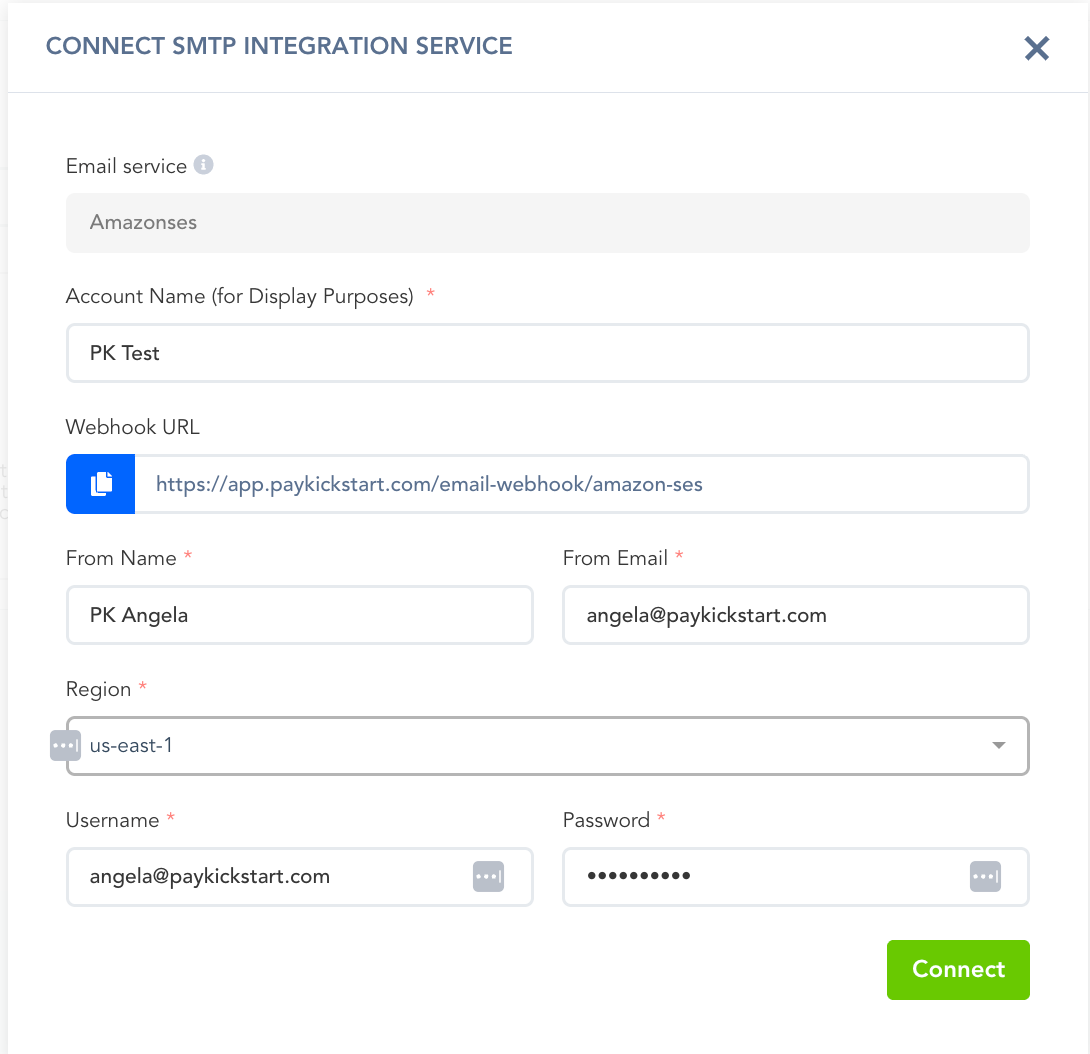
Click the Connect button.
A success message will appear in the bottom-right corner confirming that the connection was successful if your credentials are entered correctly.
Once enabled and saved on the campaign level, you are now integrated to send transaction emails via Amazon SES for the selected campaign.
You can connect SMTP integrations with all Campaigns you want to use SMTP services for delivering your transactional emails.
Step 3: Enable Amazon SES in Your Campaign Settings
Step 3: Enable Amazon SES in Your Campaign Settings
To enable Amazon SES in your campaign settings, go to the Campaigns section in your PayKickstart account.
Then, go to the three-dotted menu on the right side of the relevant campaign and click on Edit Campaign.
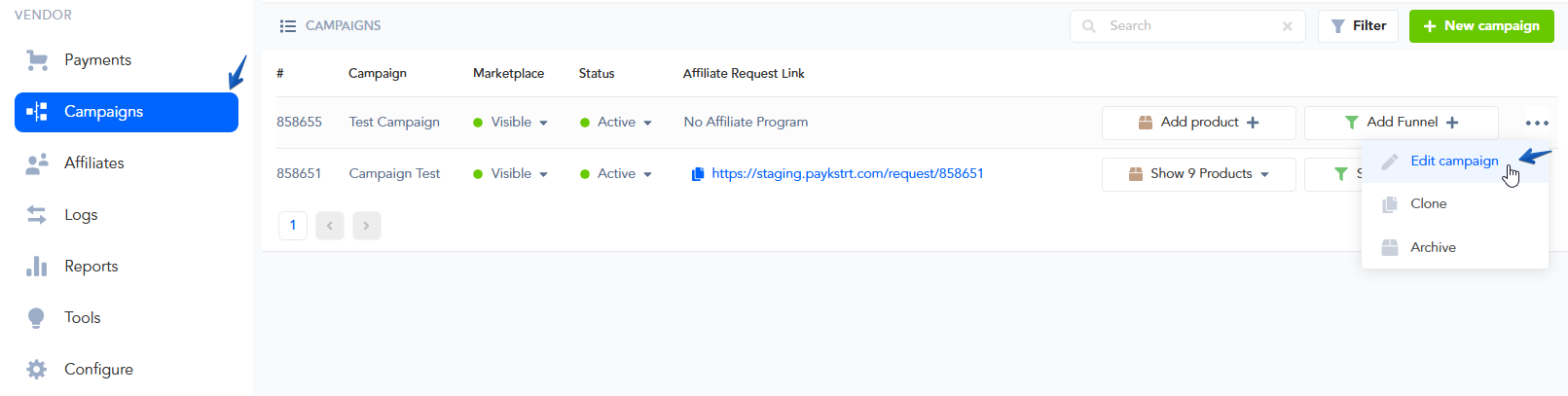
Once you click on Edit Campaign, move on to the Communication tab and look for the Email Delivery section.
Select the Amazon SES integration you previously added from the provided options.
Once selected, make sure to click the Save button to save your campaign. F
From now on, all your transactional emails for this campaign will be sent via Amazon SES to your customers.
You can repeat these same steps to enable Amazon SES for your other Campaigns, if needed.
You can also select the SMTP service to be used for sending out emails related to your Embeddable Customer Billing Portal.
Step 4: Enabling Amazon SES for sending Customer Billing Portal Authorization Emails
Step 4: Enabling Amazon SES for sending Customer Billing Portal Authorization Emails
You can also select Amazon SES to send emails related to your Embeddable Customer Billing Portal.
The Hosted Billing portal does not need to be switched to the 3rd party integration.
If you have any previously created Embeddable Portals, please follow these steps:
To enable your Amazon SES integration for the portal, navigate to
Tools → Customer Billing Portal.
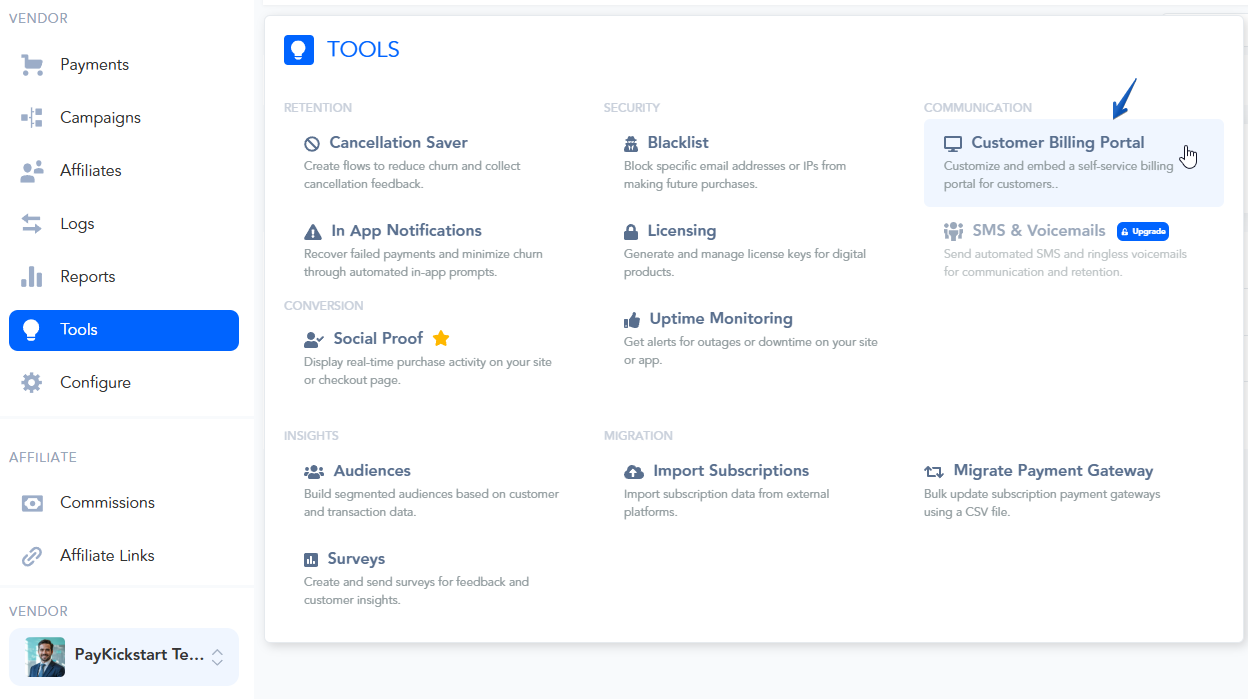
Find the Embeddable Portal you have created and click the edit icon (pencil icon).
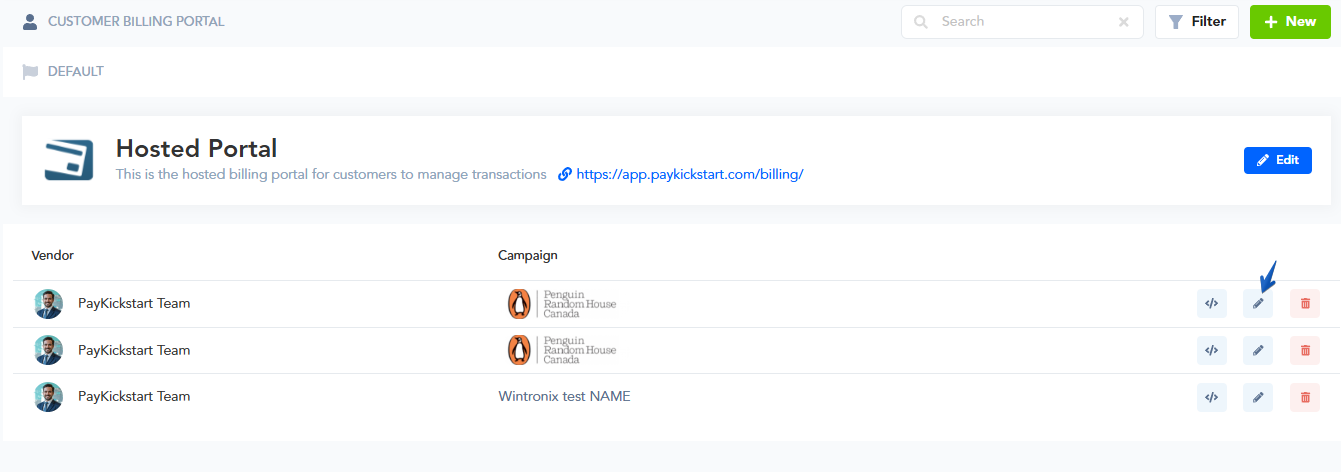
In the portal settings, select the Email SMTP Service tab and choose your Amazon SES integration from the dropdown menu.
Click Next Step and proceed to the final step to Save your portal settings.
Once saved, the integration will take over, and all future emails for authorizing customer access or related billing events will be sent via Amazon SES.
That’s it! Your Amazon SES account is now fully integrated and set up within your PayKickstart platform.
You can now fully handle notifying customers for any transactional email events via your own SMTP integration, allowing you full control over the deliverability of customer emails.
Maximizing the deliverability of your emails (Optional):
To maximize the delivery rate of your email notifications, we strongly recommend you set up Domain, SPF & DKIM verification. Below are some useful resources to help you with this:
→ What is SPF?
→ How to set up SPF on your server.
→ What is DKIM?
→ How to set DKIM on your server.
Helpful Tip:
MXToolBox is a great resource for monitoring the health of your domain.
→ SMTP Diagnostics
→ Blacklist Check
→ Free Monitoring
Was this helpful?
Still need help? Ask the team