How To Reconnect ChartMogul to Sync All Data
Written By Carlos
Last updated About 1 year ago
Sometimes, Vendors need to reconnect and resync their ChartMogul integration and data for various reasons.
If you have been advised by our support team, or just need to re-sync your ChartMogul integration, please follow the instructions below:
Step 1: Remove your previous ChartMogul integration
Step 1: Remove your previous ChartMogul integration
Delete your current ChartMogul integration in your PayKickstart account by accessing the Configure → Integrations section:
https://app.paykickstart.com/vendor/configure/integrations
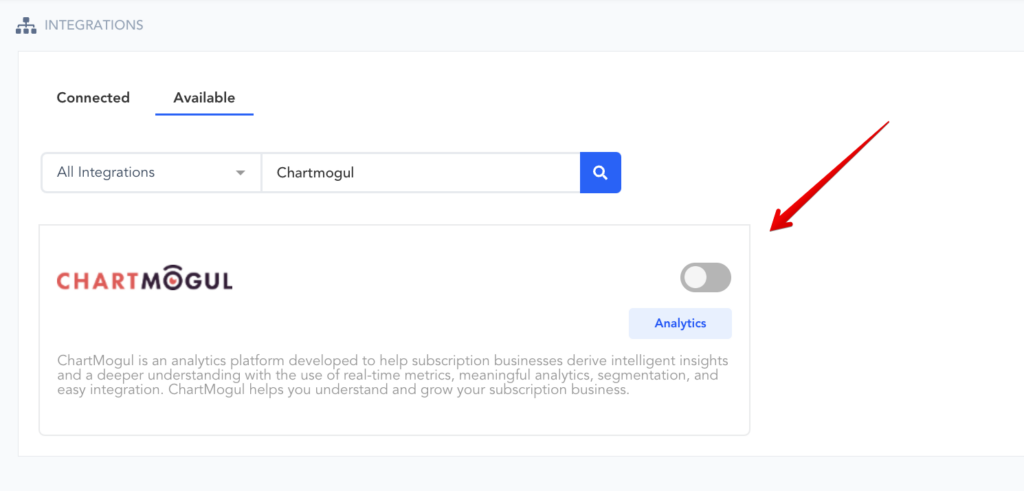
Under the Available tab, filter for Analytics integrations and proceed with deleting the current ChartMogul integration from your integrations section.
Step 2: Delete the PayKickstart Data Source in ChartMogul
Step 2: Delete the PayKickstart Data Source in ChartMogul
Proceed to your ChartMogul account and delete the PayKickstart data source.
Data sources example:
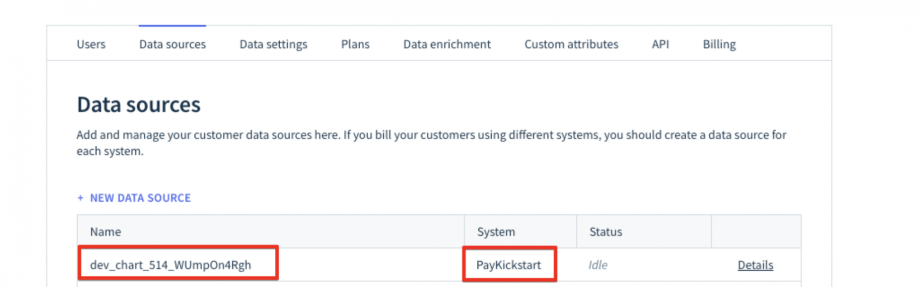
This action will remove everything (invoices, customers, plans) from the ChartMogul account.
Please see documentation before deleting:
https://help.chartmogul.com/article/232-how-can-i-erase-and-re-import-my-data
Step 3: Re-Connecting ChartMogul with PayKickstart
Step 3: Re-Connecting ChartMogul with PayKickstart
Connect a new ChartMogul Integration with your PayKickstart account and let the data synchronization finalize:
https://support.paykickstart.com/en/help/articles/2792511-integrating-chartmogul
PLEASE NOTE: It’s best to clear your browser’s cache before reconnecting ChartMogul.
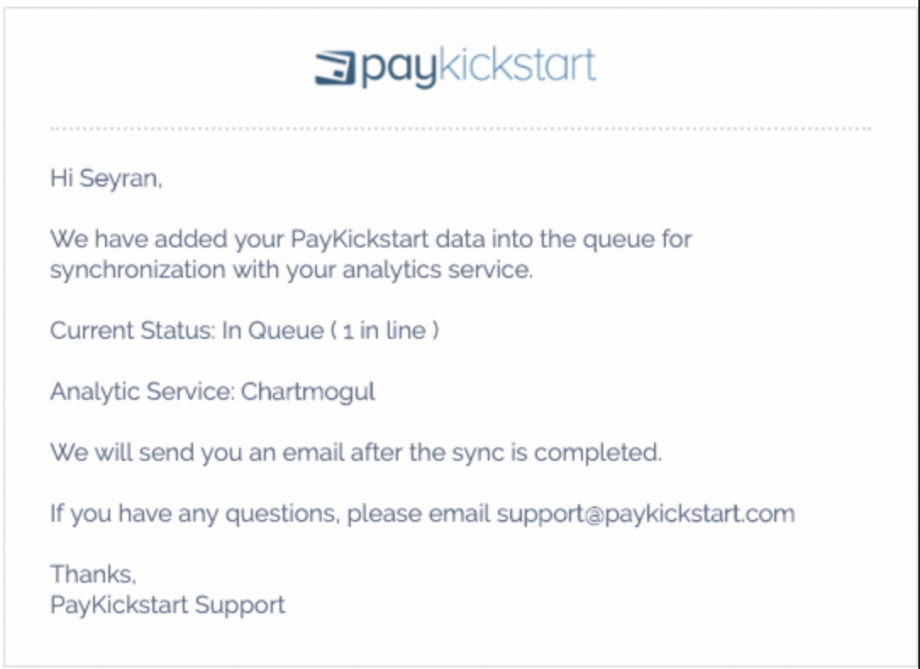
After connecting you will receive a letter about your number in the Sync Queue:
You can also find out your Sync queue number at any time by clicking on the button via the integration section of your PayKickstart account:
After connecting the new ChartMogul integration and the synchronization completes, PK data will now be sent to ChartMogul again.
PLEASE NOTE:
Only live transaction and subscription data will be sent to ChartMogul.
Test data will not be passed to ChartMogul.
Exporting data to ChartMogul may take a while for larger Vendor accounts with a lot of reporting data due to security-related API Limits set for passing data between 3rd party integrations.
Was this helpful?
Still need help? Ask the team