Transferring Subscriptions from PayKickstart to AuthorizeNet
Written By Angela L
Last updated 9 months ago
While there are many reasons and benefits to managing subscriptions through PayKickstart rather than directly through the payment gateway, we understand that vendors want the assurance that, if they ever decide to leave PayKickstart, they will be able to continue their customers’ subscriptions and rebills.
So, to answer the question, “Can I transfer my subscription from PayKickstart to AuthorizeNet?”
The short answer is Yes.
Each payment profile and secure token is stored within your AuthorizeNet account.
Additionally, you will need a developer to map the subscription information from PayKickstart to AuthorizeNet using their API.
Step 1: Access the Payments → Subscriptions section
Step 1: Access the Payments → Subscriptions section
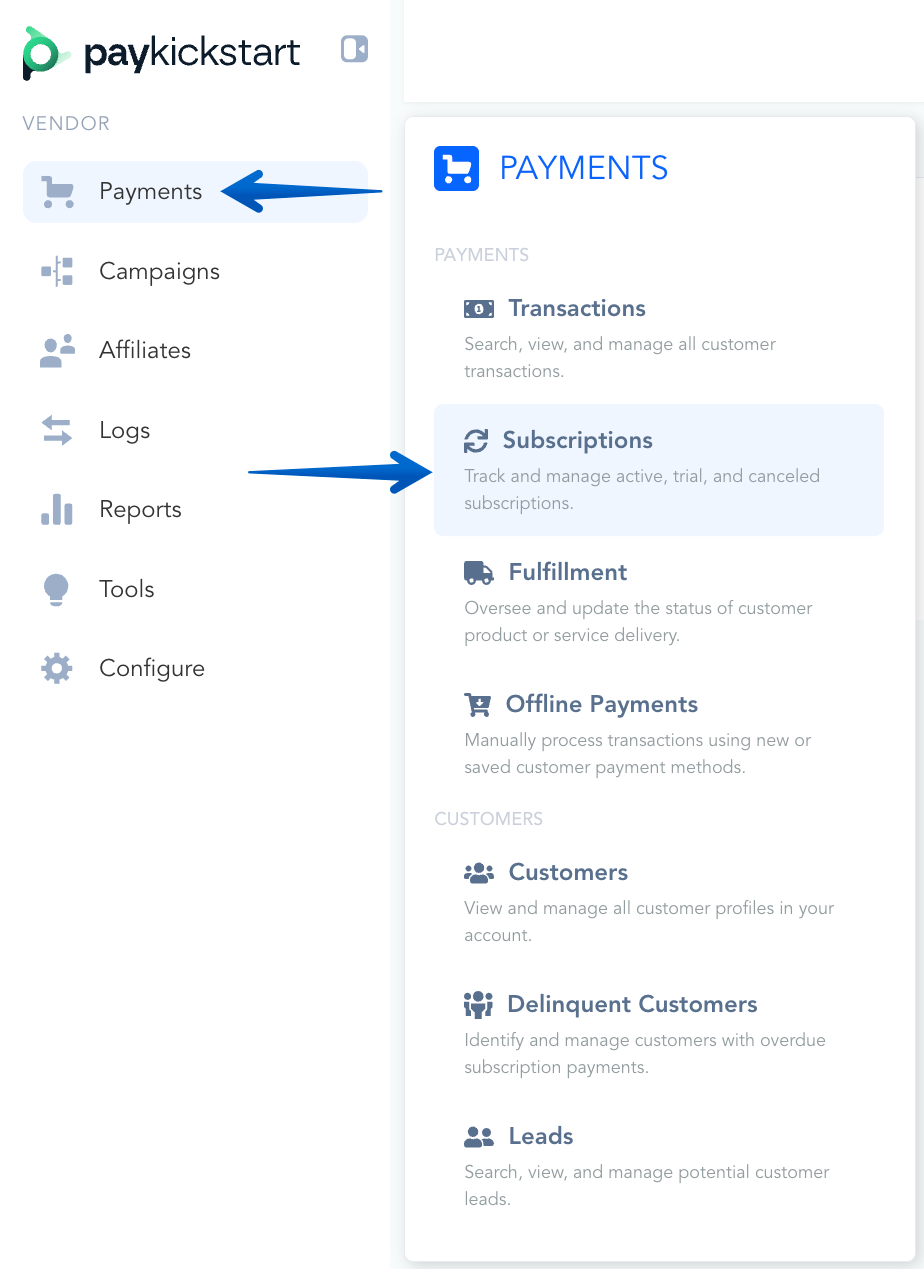
Go to Payments → Subscriptions in your PayKickstart dashboard.
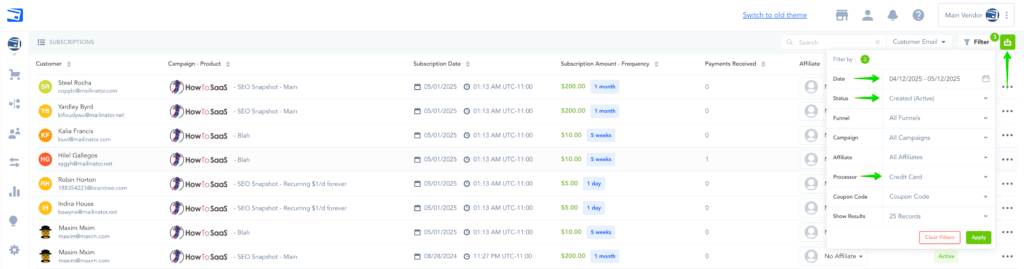
Please follow these steps to export your active subscriptions:
Filter your list by selecting Created (Active) to display only active subscriptions.
Set the custom filter date to a date before you began selling the product.
Export the filtered list to a CSV file.
In the exported CSV, you will find customer details, subscription information, and the AuthorizeNet token ID.
Step 2: Access AuthorizeNet’s API Documentation
Step 2: Access AuthorizeNet’s API Documentation
Go to the Authorize.Net API Docs → Creating a Subscription
Please follow the instructions provided by Authorize.Net to create the subscriptions within your Authorize.Net account.
Ensure that you create a subscription item in Authorize.Net first, which should include pricing details such as the amount, billing frequency, and any other relevant rules.
Please Note:
You may need to use the prorate argument to ensure the next charge date is correct, depending on how many unused days are left in their current subscription day/week/month/year.
Step 3: Cancelling Subscriptions in PayKickstart
Step 3: Cancelling Subscriptions in PayKickstart
Cancelling Subscriptions in PayKickstart is necessary to avoid double-billing customers in case rebills occur in the near future, or if your plan remains active.
Once you have successfully migrated and created the new subscription profiles in Authorize.Net, you will want to ensure that PayKickstart stops charging the customer, since you are now using Authorize.Net to charge the rebills.
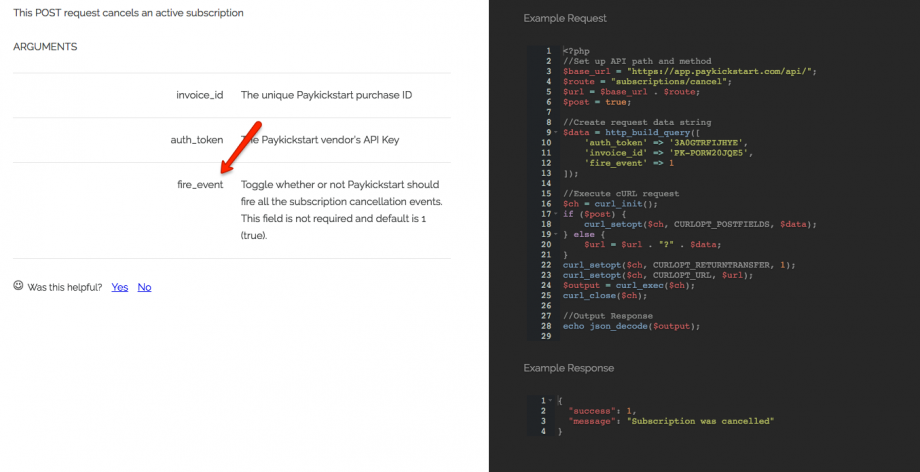
To do this, cancel the subscriptions via our API (https://docs.paykickstart.com/#subscription-cancel-subscription-cancel-subscription) and make sure you do not fire events.
Not firing the events will ensure any 3rd party integrations don’t fire and accidentally cancel access.
That’s it!
Now, your subscriptions will be fully managed within your Authorize.Net account.
Was this helpful?
Still need help? Ask the team