Enabling the Phone Number field on Checkout Forms
Written By Carlos
Last updated About 1 year ago
If you would like to add a field for the customer to apply their phone number, follow the instructions below:
Step 1:
Step 1:
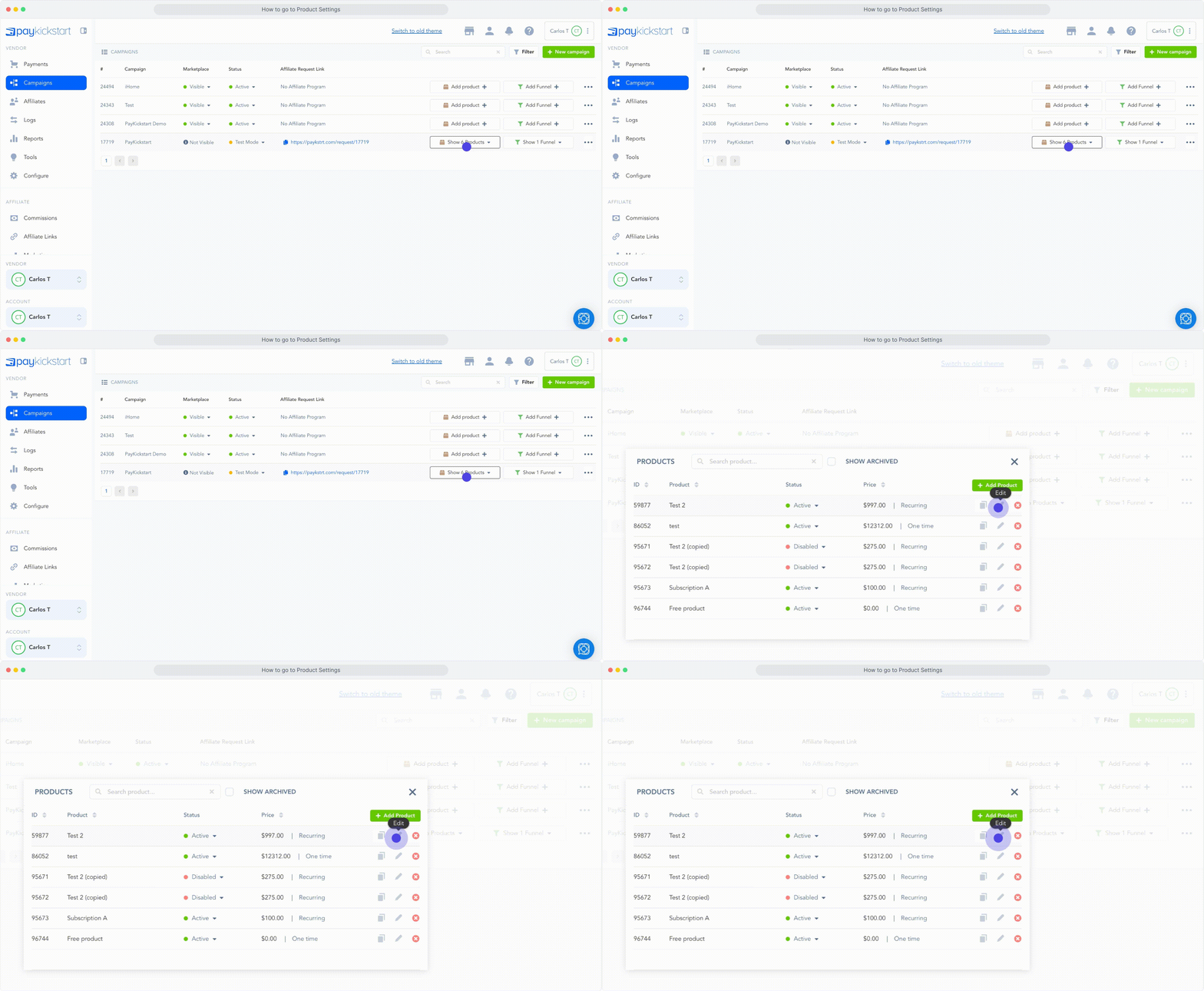
Locate the Product you want to add the phone number field to and access the product settings
Step 2:
Step 2:
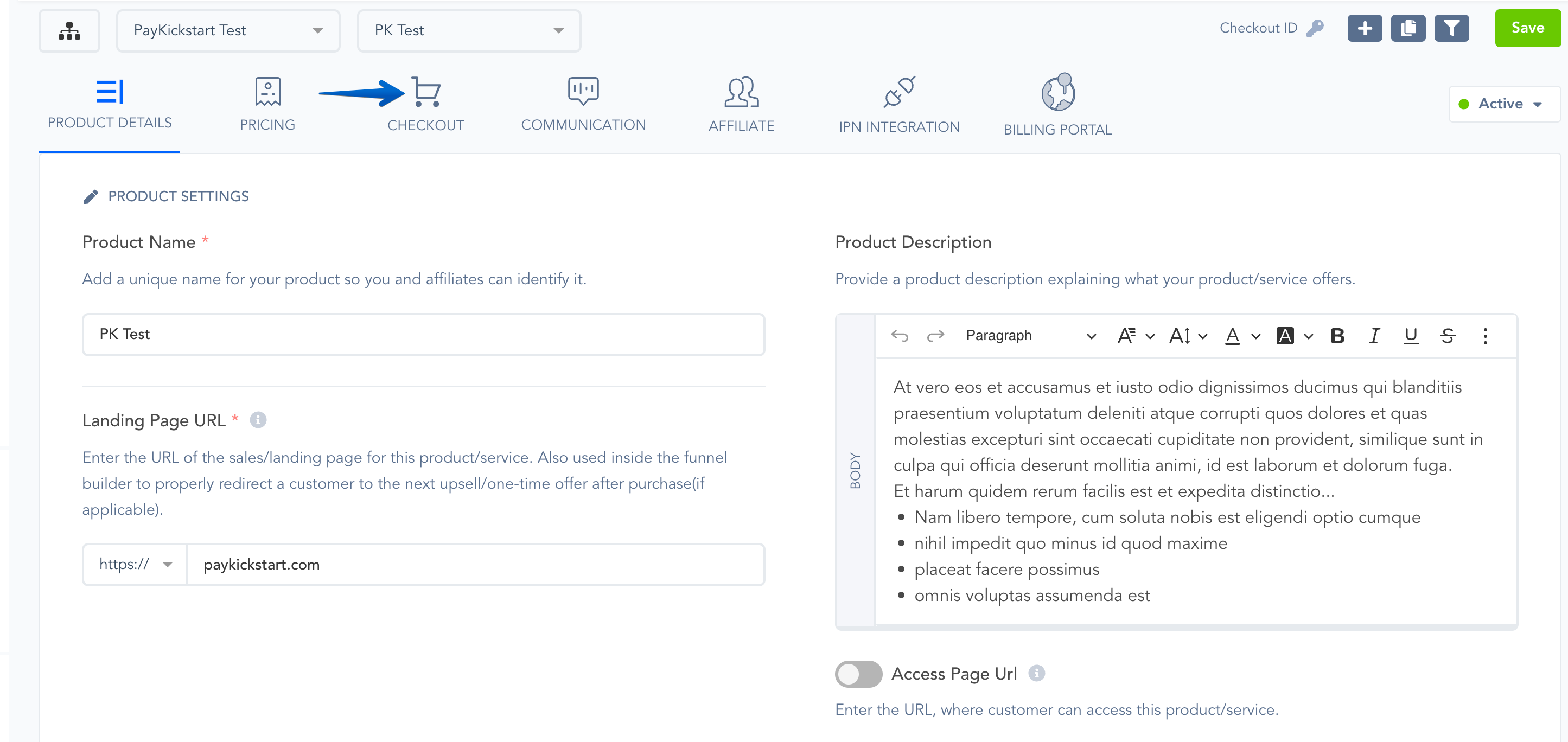
Inside the specific Product Settings, go to Checkout Section.
Step 3:
Step 3:
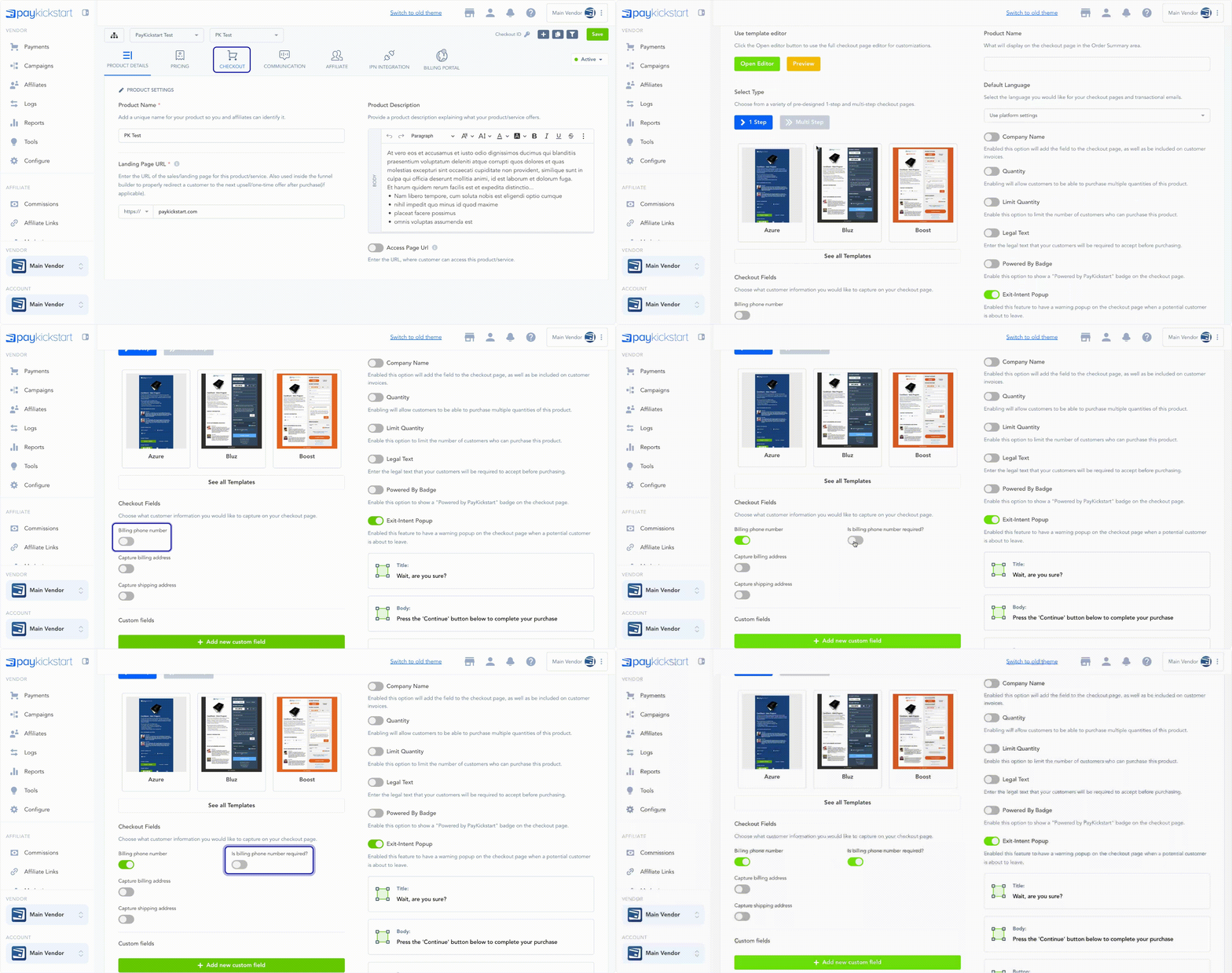
In the Checkout section, enable the Billing Phone Number, then save.
Optionally, you can make this field required if you want.
Now customers can enter a phone number while completing the product checkout.
Phone field entries can be found in the transaction details of a single purchase.
If a subscription, phone field entries will be found in the subscription details.
Subscription and transaction exports will also list phone number field entries.
Was this helpful?
Still need help? Ask the team