Enabling Usage-Based Billing for Recurring Products
Written By Stefan S.
Last updated 11 months ago
Vendors selling recurring-priced products have the ability to enable usage-based billing to charge customers overage fees if they go over their allotted usage amount in the billing period.
Important Notes:
Vendors will need to utilize our API, so coding knowledge is required.
The product MUST be a recurring-priced product.
Coupons do not apply to the Overage cost.
Overrides for Units & Overage Costs are not available at this time
Commissions calculate the overage cost on related transactions and will credit the affiliate based on the final transaction price.
Checkouts related to overage costs will show Subject to overage fees on the checkout order summary before the customer purchases.
Related Invoices will include the overage cost as a separate line item on the invoice.
Step 1: Access the Product Settings
Step 1: Access the Product Settings
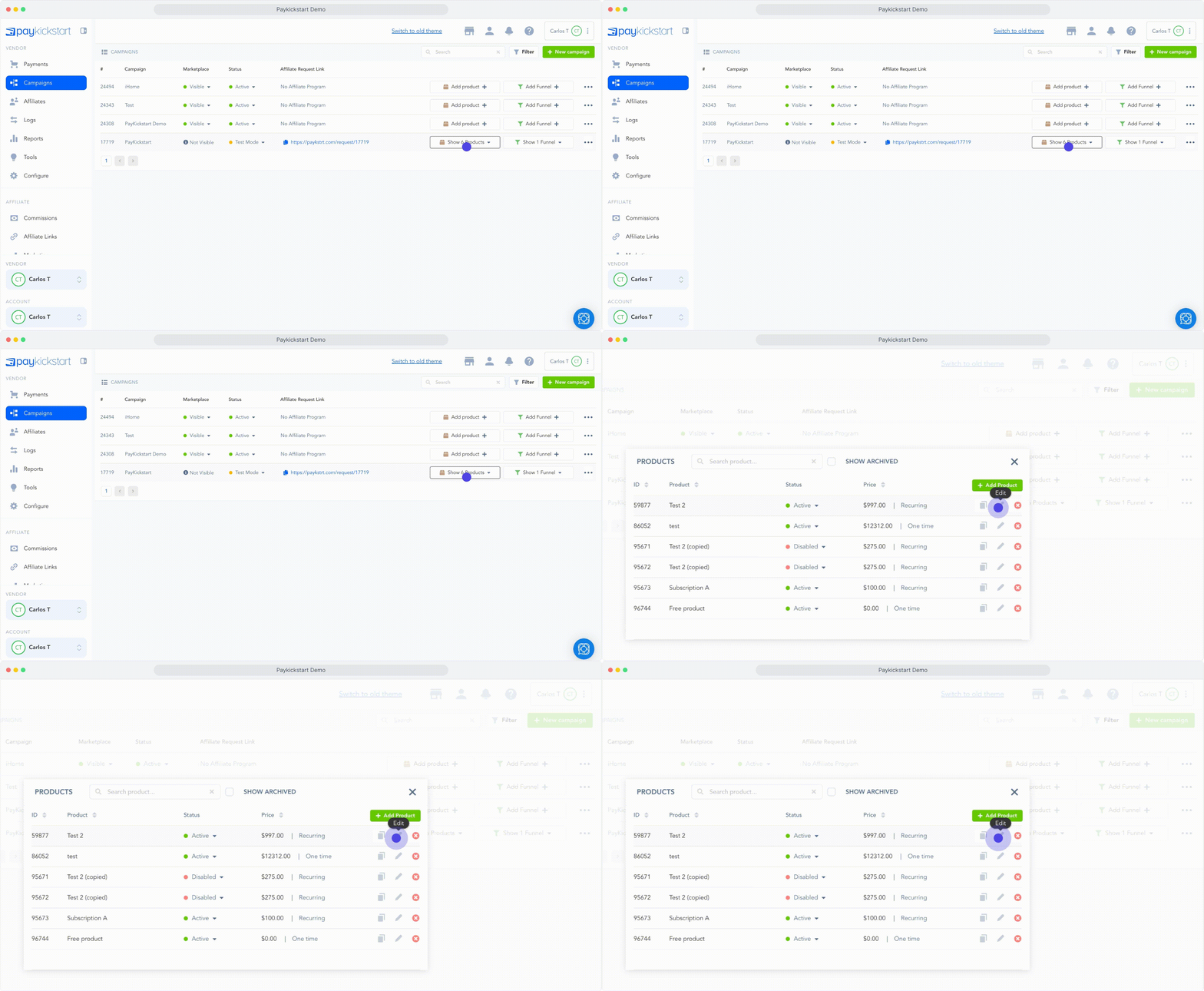
Go to Campaigns on the left sidebar of your dashboard. Here, you’ll see your campaigns listed.
Choose the PRODUCT that you want to enable the usage-based overage with, and select edit product settings.
Step 2: Enable Usage Based Billing
Step 2: Enable Usage Based Billing
Inside the related product settings, enable the Enable Usage Billing feature.
You will then need to set up the Units Included and Overage Cost for the product.
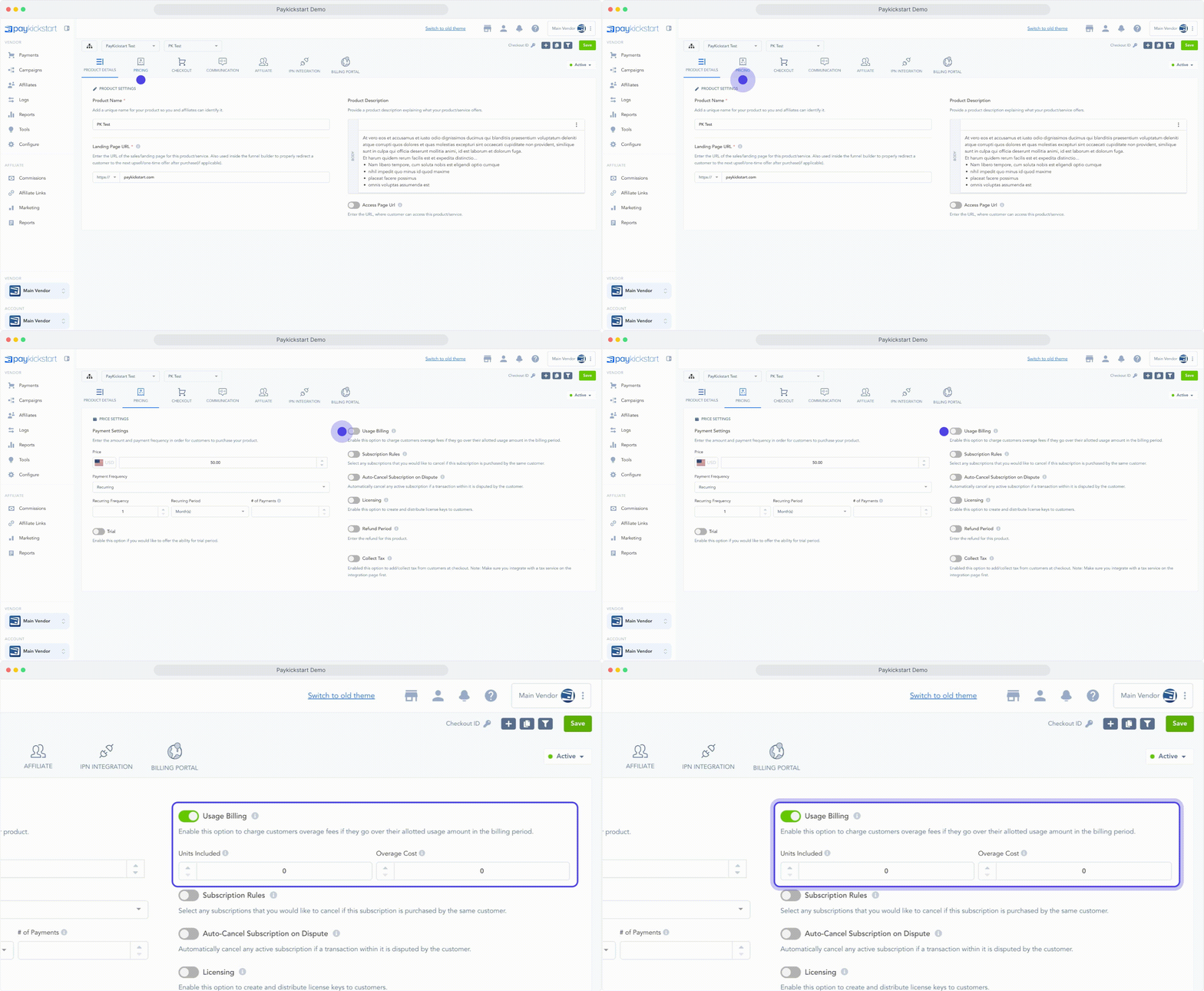
Units included: What you offer the customer as standard per billing period.
Users, Credits, Calls, Texts, etc.Overage Cost: Is the additional charge per unit once the customer exceeds the base units included.
Trials(optional): If you offer a free or paid trial, you can also set up usage-based overages for the trial period.
Trial overages will be added to the first normal subscription price billing.
Once set up for the product, select save to save the new overage settings.
Step 3: Setting up the API Call
Step 3: Setting up the API Call
After saving the unit & overage settings for the product vendors will need to use the API call to report to PayKickstart how many units were used for the related customer subscription in the billing or trial period.
Usage-based API Call documentation
API call variables:
Auth Token: Vendor API key from Platform Settings
Invoice ID: Customer subscription. PK-Pxxxxxxx
Units: The number of units you are reporting the customer has used.
Notes: Optional field to add reference notes if needed.
Vendors should use the API call as soon as they need to report a unit was used in order to ensure the most up to date usage was provided for the customer.
Multiple calls can be sent in the same billing period to continue to update the subscription based on how many units have been used.
After sending the API calls with the unit usage data, PayKickstart will store all usage information for the customers related subscription to properly charge the customer the base product price, as well as the additional overage cost per unit on the customers next paid billing transaction if they exceed their included units in the billing period.
Related Transaction Invoices will include the overage cost as a separate line item on the invoice.
Upgrade/Downgrade and Cancel options and Usage-Based Overages
Upgrade/Downgrade and Cancel options and Usage-Based Overages
If you or the customer use the up/downgrades options related to subscriptions, PayKickstart will provide options to help prorate the remaining units from the previous subscription to the new subscription.
Vendor: Manual or API Up/Downgrade
If using the option to up/downgrade a subscription in the PK UI, PayKickstart will offer vendors the option to manually add the allowed # of units you want to pass to the new subscription to be used.
If you leave the allowed units field blank, the calculation would be done automatically by the PK system.
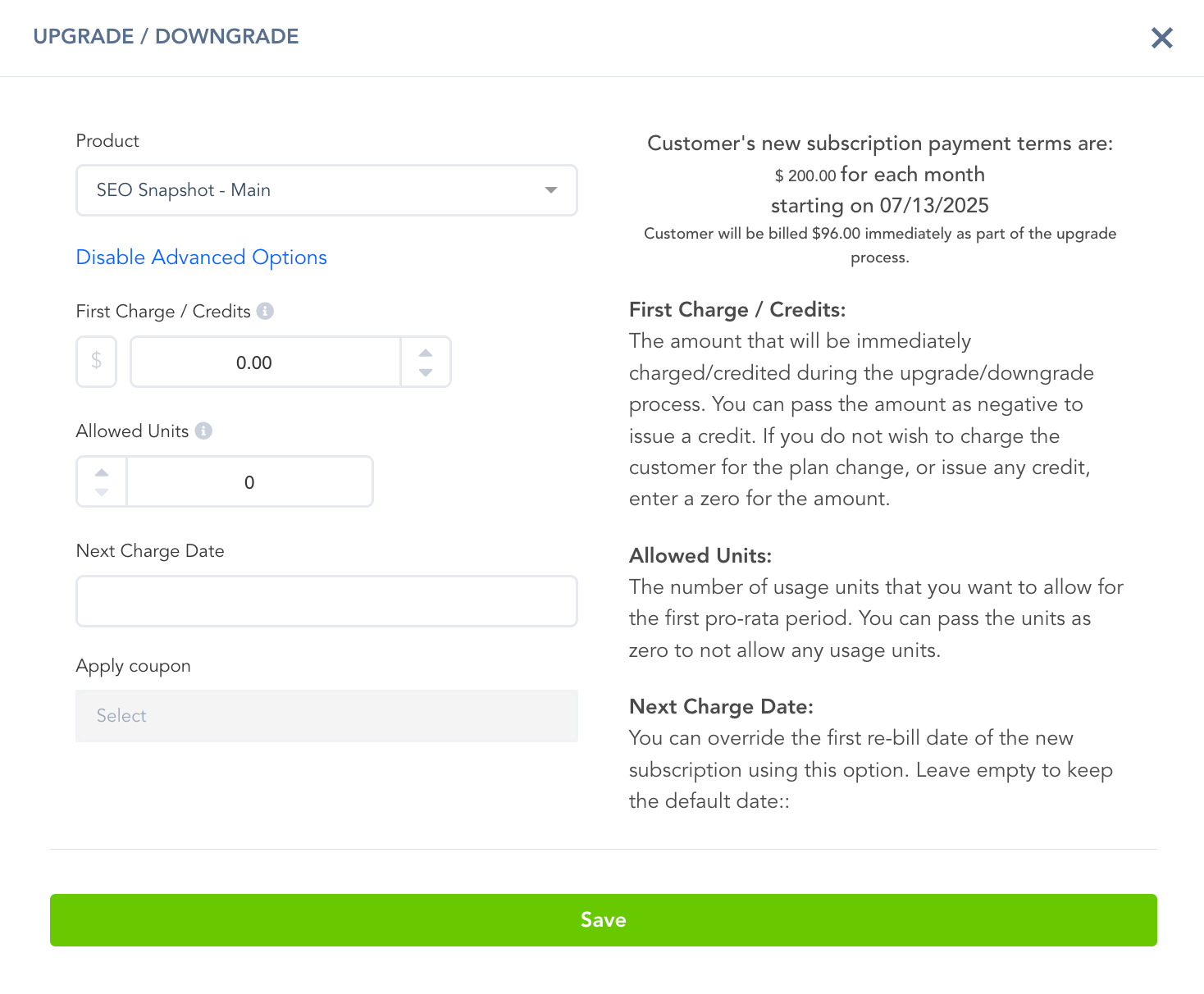
If using the API options to up/downgrade the subscription, there will be a variable to include the allowed # of units you are passing to the new subscription to be used as pronation: https://support.paykickstart.com/articles/5596830-how-to-manage-upgradedowngrade-of-product-or-subscription-level
Vendor: Manual or API Cancellation
When canceling a customer subscription in the PK UI, you have the ability to charge the remaining usage overage fees while canceling if needed.
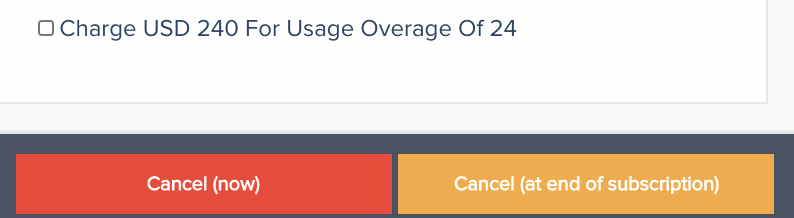
If you are using the API Subscription cancellation event, you also have this option available in the API Call.
Customer Self-Service – Automatic
If you are using the customer billing portal options and allowing customers to change subscription plans on their own, PayKickstart will automatically calculate the used units from the previous subscription if the customer is downgrading to a lower priced product and calculate the price of the new product to provide the correct amount of remaining units for the current billing period on the customers new subscription.
If applicable, the customer’s new subscription will have a Credit Amount associated to use for their billing charges.
If the customer upgrades to a higher-priced product, then they would be charged a prorated amount to pay the upgraded subscription cost on the next billing charge date, automatically factoring in allowed units.
If the customer cancels their plan on their own via the billing portal, they will be charged any unpaid coverage fees.
Usage-Based Billing Examples
Usage-Based Billing Examples
If you are looking into setting up usage-based billing options for your products, or just brainstorming for ideas, we created a few examples of pricing structures that you can achieve with PayKickstart:
Example 1
Product Pricing:
$20 per month/per user (minimum of 3 users)
Example: $20/mo (minimum 3 users) = $60/mo + $20/extra user.
Product Setup:
Price: $60/mo
Units included: 0
Overage cost: $20
Example 2
Product pricing
$50 per month, includes 10000 SMS messages
Overage fee: $0.0080 per additional message
Product Setup
Price: $50/mo
Units included: 10000
Overage cost: $0.0080
Example 3
Product pricing
$29 per month, includes 1 TB of cloud storage
Overage fee: $5 per 100 MB
Product Setup
Price: $29/mo
Units included: 1,048,576
Overage cost: $0.05 (per MB)
Example 4
Product pricing
$23 per month for 3 license keys
Overage fee: $15 for each additional license key
Product Setup
Price: $23/mo
Units included: 3
Overage cost: $15
Example 5
Product pricing
$35/mo for 1000 tasks
Overage fee: $30 fee per 500 tasks
Product Setup
Price: $35/mo
Units included: 2
Overage cost: $30
Example 6
Product pricing
30-day trial, then $20/per month for 200 contacts
Overage fee: $10 fee for additional 50 contacts
Product Setup
Price: $20/mo
Trial days: 30
Units included: 4
Overage cost: $10
Trial Units included: 4
Trial Overage cost: $10
Example 7
Product pricing:
14-day trial with 10000 emails included. Then, $99 per month with 30000 emails included
Overage fee: $0.1 for each additional email sent
Product Setup:
Price: $99/mo
Units included: 30000
Overage cost: $0.1
Trial Units included: 10000
ADDITIONAL NOTES:
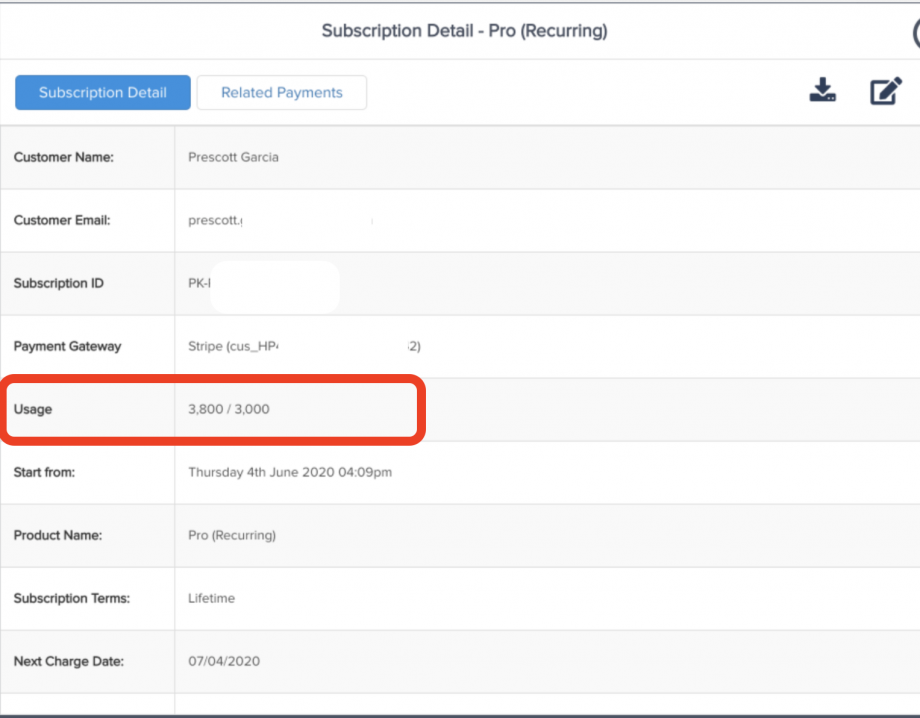
Each customer subscription will show the current usage amount for the current billing period
Was this helpful?
Still need help? Ask the team