Affiliate Link Checker Tool
Written By Carlos
Last updated About 1 year ago
if you would like to check if an affiliate’s link is functioning properly and if the affiliate will be credited for the sale or not via the specific link, you do have the ability to do so via our Affiliate Link Checker Tool.
Step 1: Locate the Specific Affiliate
Step 1: Locate the Specific Affiliate
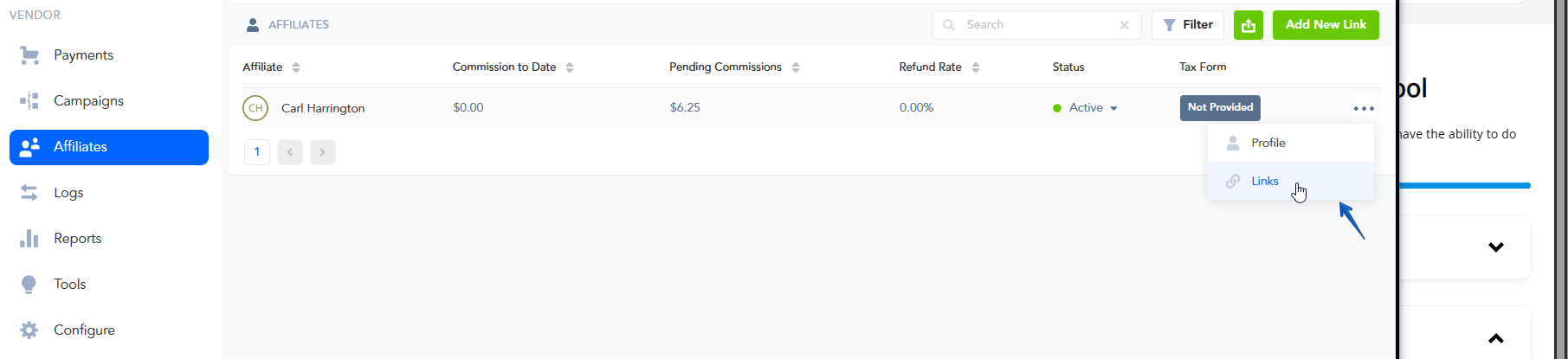
First, access the Affiliate → Affiliates section to view your affiliates and their profiles.
Then, look up the specific affiliate you wish to check the link for.
To open the Links section, simply click on the 3-dotted menu icon and select the Links option.
Step 2: Testing the Affiliate’s Link
Step 2: Testing the Affiliate’s Link
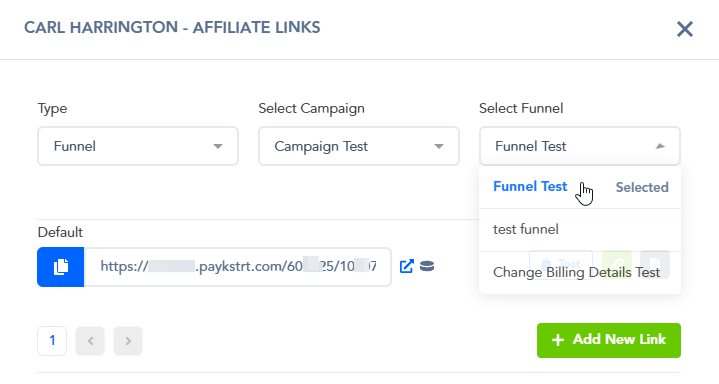
Select the Funnel, Product, or Lead option. The default option for affiliate links is the Funnel option.
Then, select the specific Campaign and Funnel related to the Campaign you wish to pull up the links for.
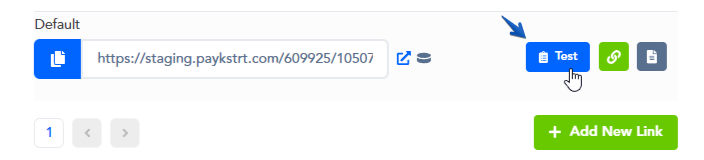
You will notice a Test button that you can click on to quickly perform an affiliate’s link check:
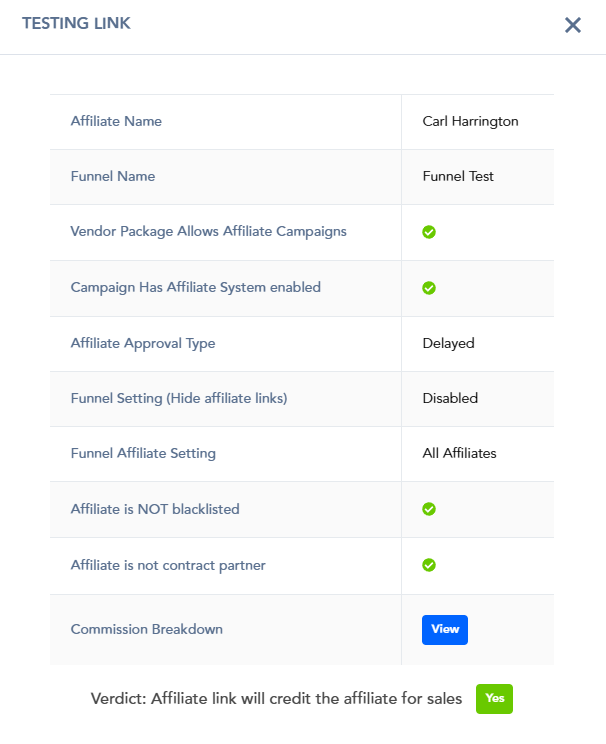
After clicking on the test button, you will see the test response.
This response will let you know if the affiliate will or will not be credited for sales using the link.
Was this helpful?
Still need help? Ask the team