What Does it Mean to Verify an Affiliate?
Written By Carlos
Last updated About 1 year ago
PayKickstart allows you (the vendor) to mark an affiliate as “verified”. While this feature is optional, many vendors like to verify that the tax information (and any other relevant information they need from an affiliate) is verified and accurate.
Verifying an affiliate will allow you to easily see which affiliates have been verified by your team/company.
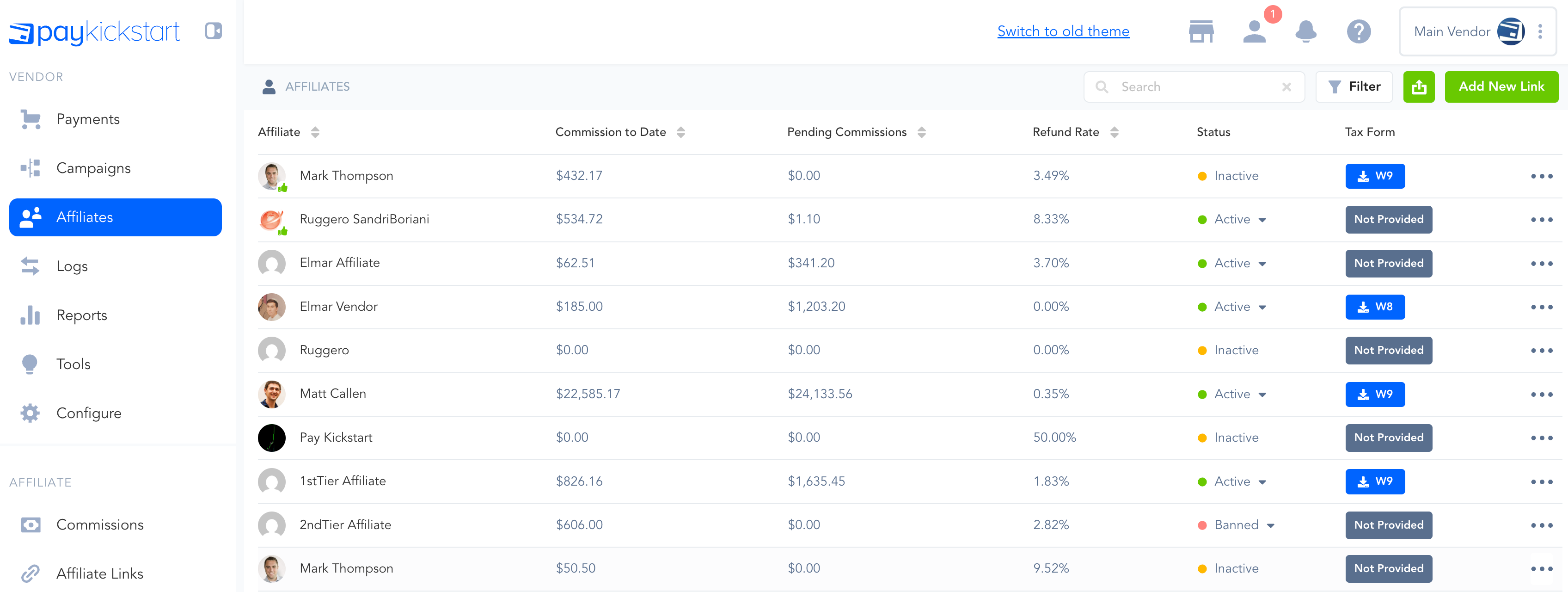
It will look like this on the main Affiliates page:
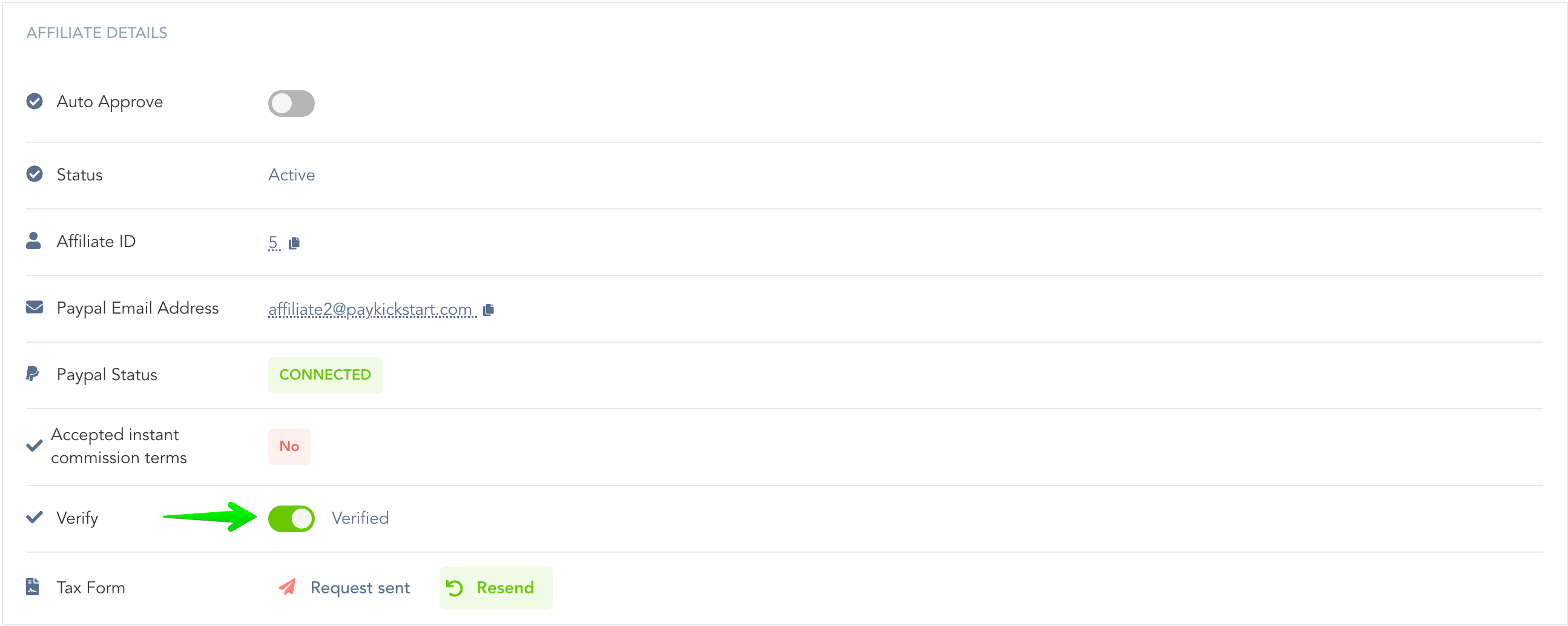
In the affiliates section, you can click on the modify button on the right to access the affiliate’s profile.

Next use the toggle button to Verify or Un-Verify the Affiliate.
After verifying the affiliate, you will notice a green thumbs up icon within their profile image circle, signifying the affiliate is verified on the main affiliates page.
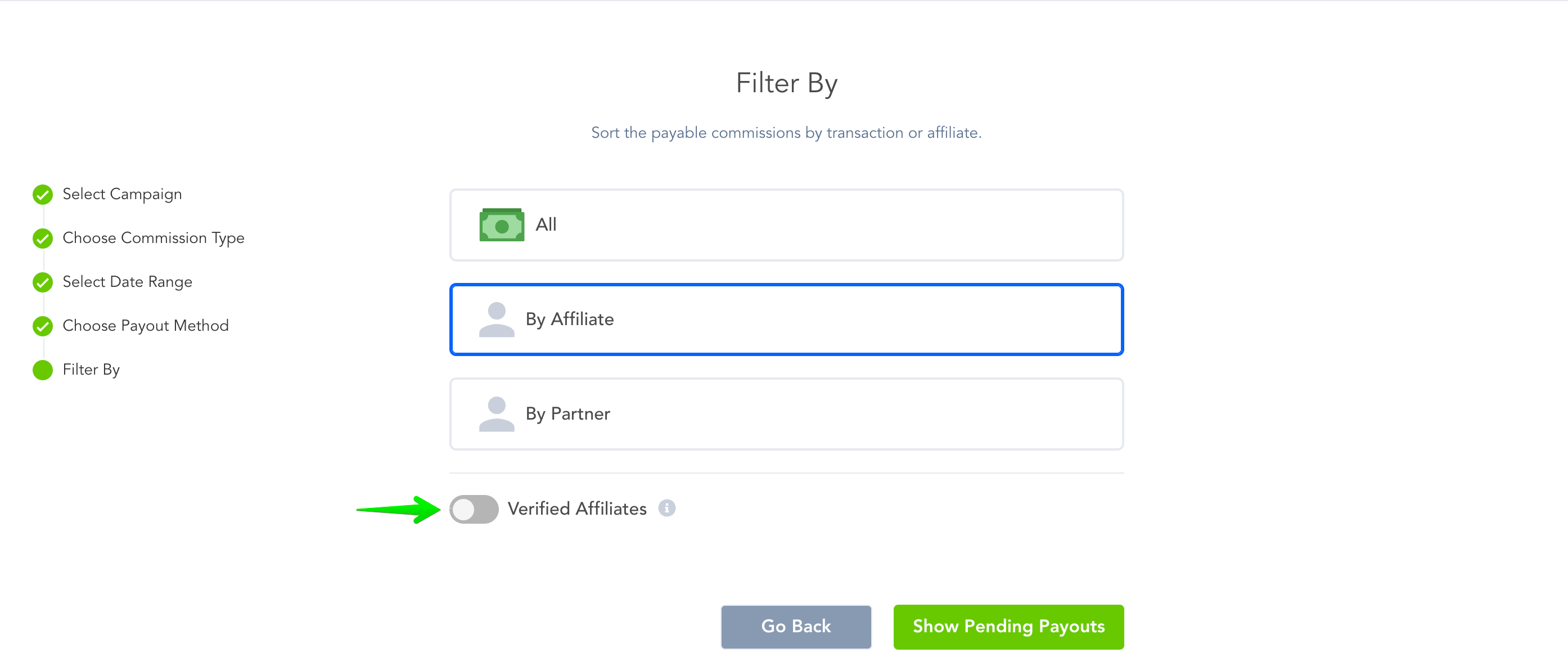
When you are paying out affiliate commissions from the Affiliate → Payouts area, you can filter by Verified affiliates, so that you only pay out commissions of whom you have verified.
Was this helpful?
Still need help? Ask the team