Creating a Partner Contract
Written By Angela L
Last updated About 1 year ago
PayKickstart can automatically split the revenue generated between partners. This is great if you are working with someone on a product launch or business and you want to have the revenue sharing you agreed upon, automatically split.
Please Note:
– Only one active contract can be created per campaign, but you can have multiple partners per campaign.
– Each partner MUST have an active PayKickstart vendor(starter plan at minimum) account to be added to a contract.
Here is how it works…
The Gateway Fees (also if you use VAT tax) are taken first from the total sale amount. Then the affiliate commissions is paid (if there is an affiliate and/or 2nd tier affiliate), then the partners get paid. Here is an example:
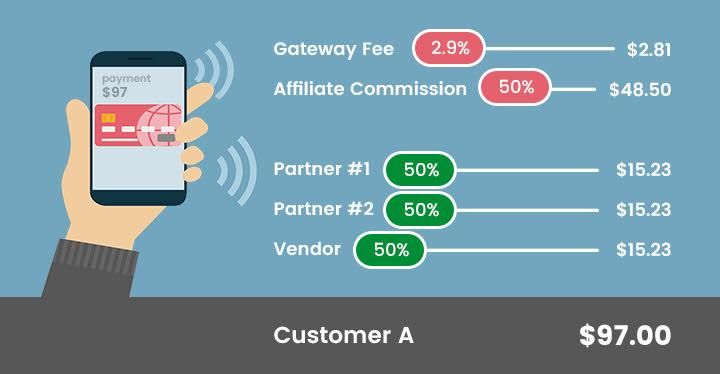
To create a new contract:
Step 1:
Step 1:
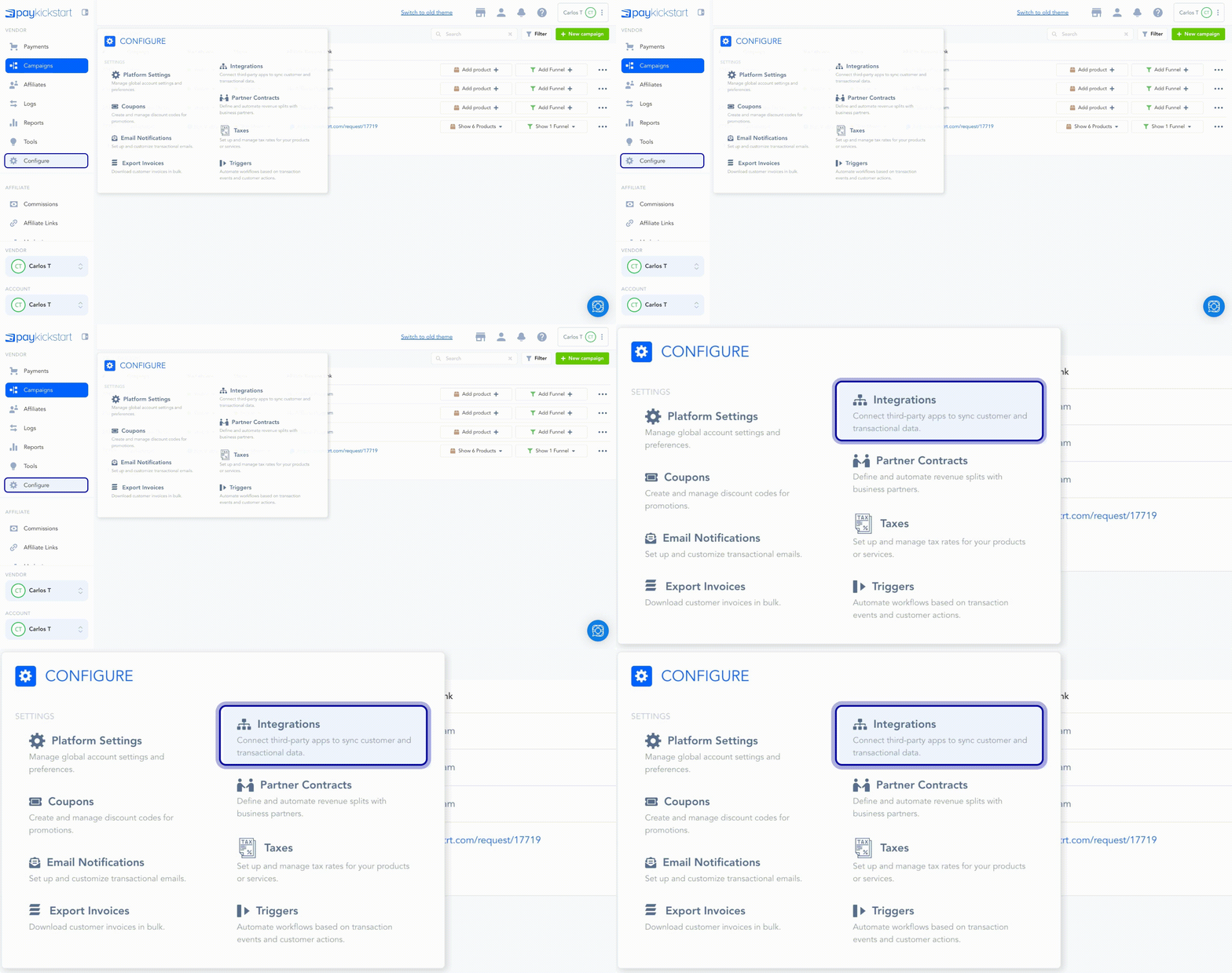
Click on Configure and choose Partner Contracts.
Step 2:
Step 2:
Click on Create Contract.

Step 3:
Step 3:
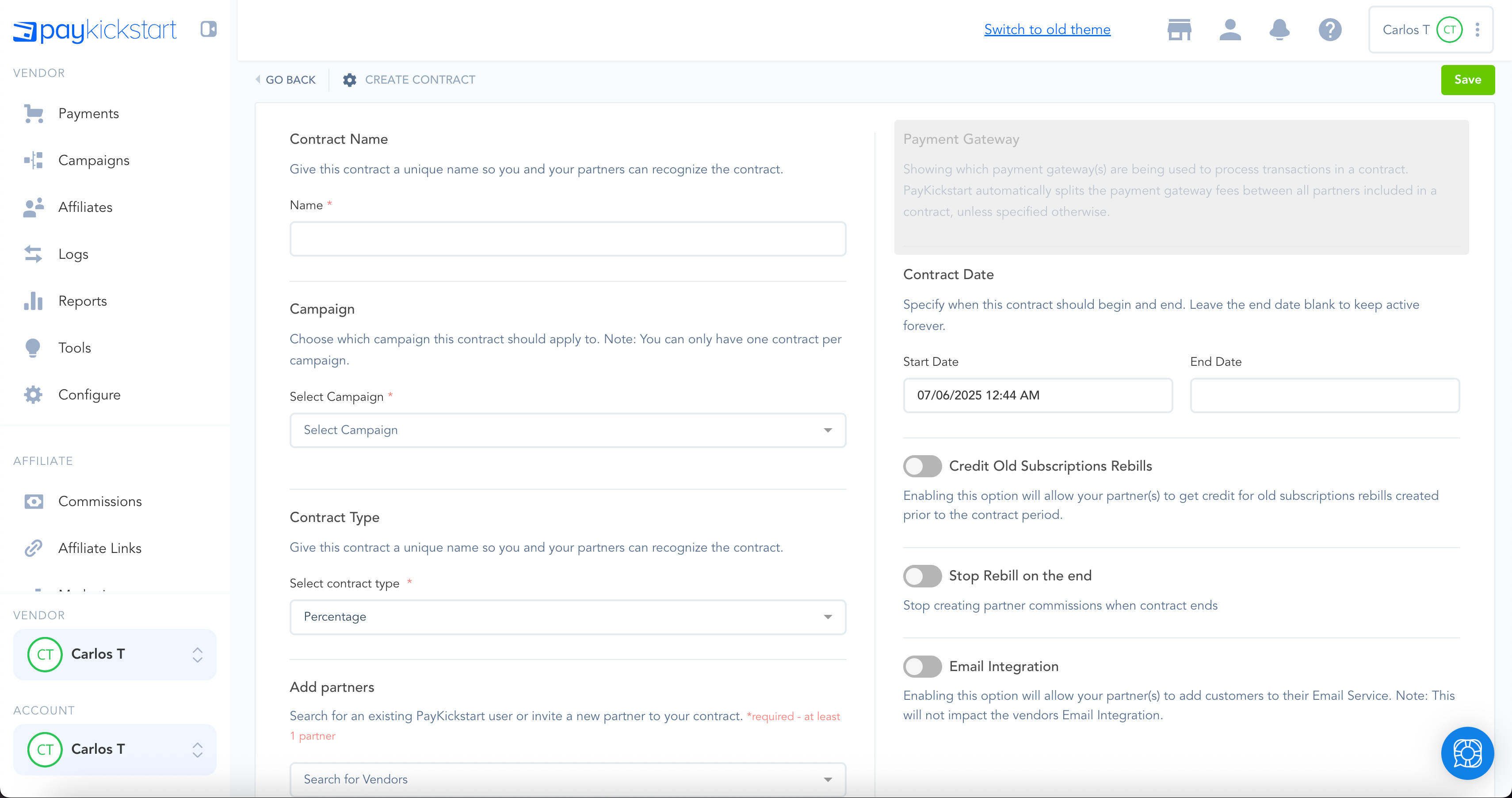
Fill in the details of the Contract.
Give the contract a unique name for display purposes. Choose which campaign (and products inside the campaign) will be included in the contract. Choose whether you want the revenue sharing among partners to be Amount ($) or Percentage (%) – cannot be a combination of both.
Enter each partner's email address (if they already have a PayKickstart account, it will find them in the system automatically; if they do not, it will send an invitation to create their PayKickstart vendor account). Choose the contract start date and end date (optional), leave blank if ongoing.
The contract will use the payment gateway selected in the Campaign settings. By default, we automatically set the default gateway fees to be split evenly between all partners. You have the ability to override the service fees. If you leave as 0% and $0.00, the main vendor will incur all gateway fees.
Enabling email integration will allow your partners to connect their Email Auto-responder so all customers will get added to their Email Service.
Step 4:
Step 4:
ALL partners MUST approve the contract. When they go to the Contracts page, they will see the ability to approve or deny the contract. Once all partners have approved the contract, it will be Active.
Step 5:
Step 5:
If any edits need to be made to a contract, you can click the Edit Contract button.
Note: ALL partners MUST re-approve the changes for the changes to take effect.

Other important things to Note:
The main vendor can still control what the partners can see/access using the User Management/Permissions.
Once a contract is active they can see daily snapshots of Partner Sales. The main vendor will see it as One-Time and Subscription sales, but the Partners will see it under “Partner Sales”.
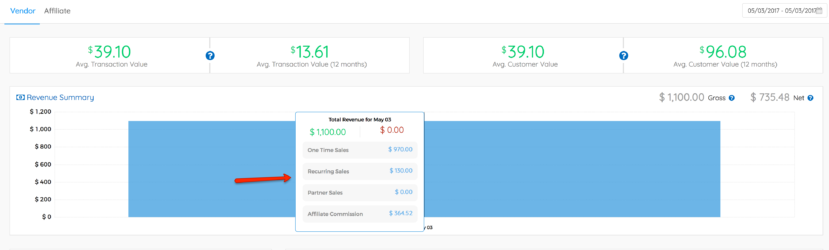
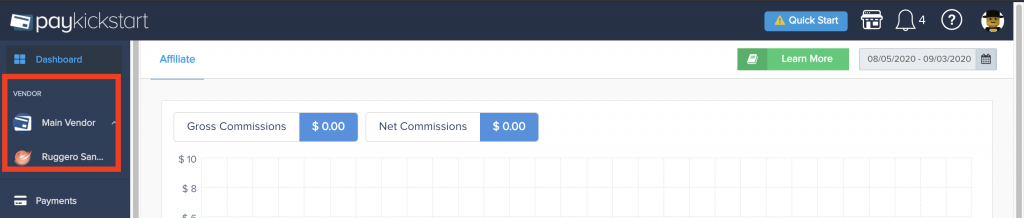
If the Partner has multiple contracts with multiple partners, they will be able to use the “Switch Vendor” view in the top left of their account to access and view settings/data from the specific vendor.
Please Note:
Currently, only PayPal transactions support instant payouts.
Any payments made via PayPal where the partner is also accepting instant commission terms on their side would be paid out immediately.
Credit cards do not support instant payments and would be paid via manual commissions.
Was this helpful?
Still need help? Ask the team