Subscription Dunning - Recovering Failed Payments
Recover lost revenue with PayKickstart’s Dunning feature. Automate failed payment retries, customize email notifications, and reduce churn with smart recovery logic.
Written By Stefan S.
Last updated 6 months ago
Recovering lost revenue shouldn't be a manual chore. PayKickstart’s Dunning feature automates the process of retrying failed subscription payments and communicating with customers to update their billing information.
With our redesigned Dunning engine, you have full control over the frequency of retries, the notifications sent, and the final action taken if payment cannot be recovered.
Accessing Dunning Settings
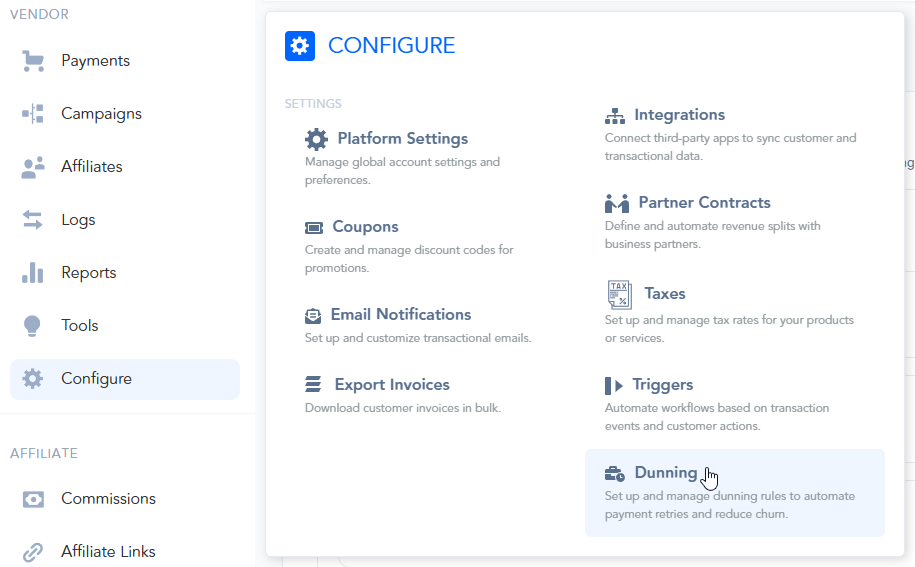
To configure your dunning rules, navigate to Configure > Dunning in your vendor dashboard.
Configuring the Dunning Sequence
You can now create a custom sequence of up to 5 retry attempts. For each step in the sequence, you can define:
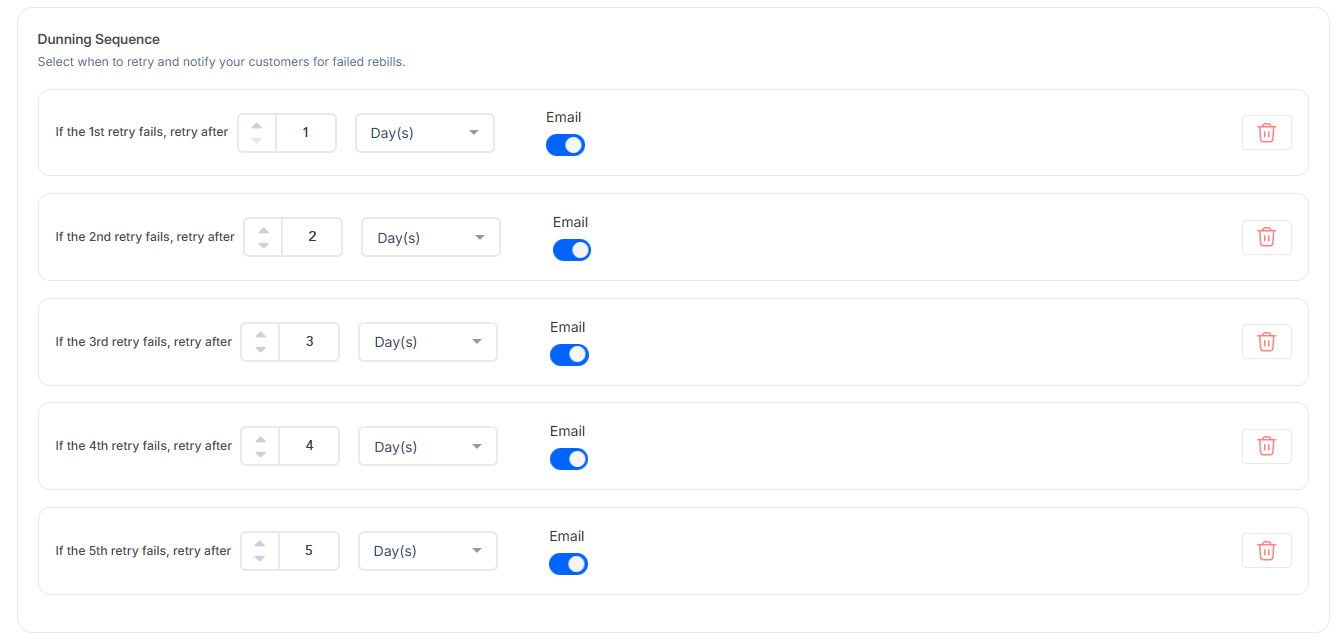
Retry Delay: Choose how many days, weeks, or months to wait after a failure before the next attempt (e.g., 1 day, 3 days, 1 week, etc.).
Email Notifications: Toggle whether or not to send an automated "Update Billing" email for that specific attempt.
Note: You can edit the Dunning Email Templates in Configure → Email Notifications.
The template names for dunning events are:
Updated Billing Method (First attempt)
Updated Billing Method (Retry attempt)
Updated Billing Method (Final attempt)
On Account Cancelled (Dunning)
More information about editing transactional emails can be found in this article: https://support.paykickstart.com/articles/1220824-editing-transactional-email-templates
Final Action Rules
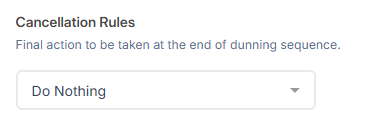
Once a dunning sequence is exhausted without a successful recovery, the system will execute a Final Action based on your preference:
Cancel Subscription: Terminate the agreement immediately. You can choose whether this action triggers a "Cancellation Event" for external integrations and IPN POSTs.

Pause Subscription: Temporarily suspend the subscription for a designated duration before the next automated check.

Do Nothing: Cease retry attempts while keeping the subscription in a delinquent state for manual review.
Smart Recovery Logic
Billing Date Preservation: If a payment succeeds during the dunning sequence, PayKickstart automatically restores the customer’s original billing (next charge) date. This ensures your long-term revenue cycle stays consistent and isn't "pushed forward" by the delay of the retry.
Please Note:
If you configure 0 retries, the "Final Action" will trigger immediately upon the very first payment failure.
If a payment is secured during the dunning process, PayKickstart automatically restores the subscription's next charge date to its original billing anchor. This ensures that your revenue cycle remains consistent and prevents billing dates from drifting due to temporary payment failures.
When the dunning process starts for a subscription, the system saves the current dunning settings for created subscriptions. If you change the dunning settings, it won’t affect the existing dunning processes, but will be applied to any next subscription that is created.
Was this helpful?
Still need help? Ask the team