Subscription Rule: Cancel previous subscription(s) if a new product subscription is started
Written By Carlos
Last updated 6 months ago
If you sell subscription products, you can set up rules that automatically cancel a customer’s existing subscriptions when they start a new one.
For example, let’s say a customer subscribes to products 1 and 2. You can set up a rule so that when they subscribe to product 3, their subscriptions to products 1 and 2 are automatically canceled.
These cancellation rules are set up on the new product the customer is subscribing to.
Step 1: Go to Product Settings
Step 1: Go to Product Settings
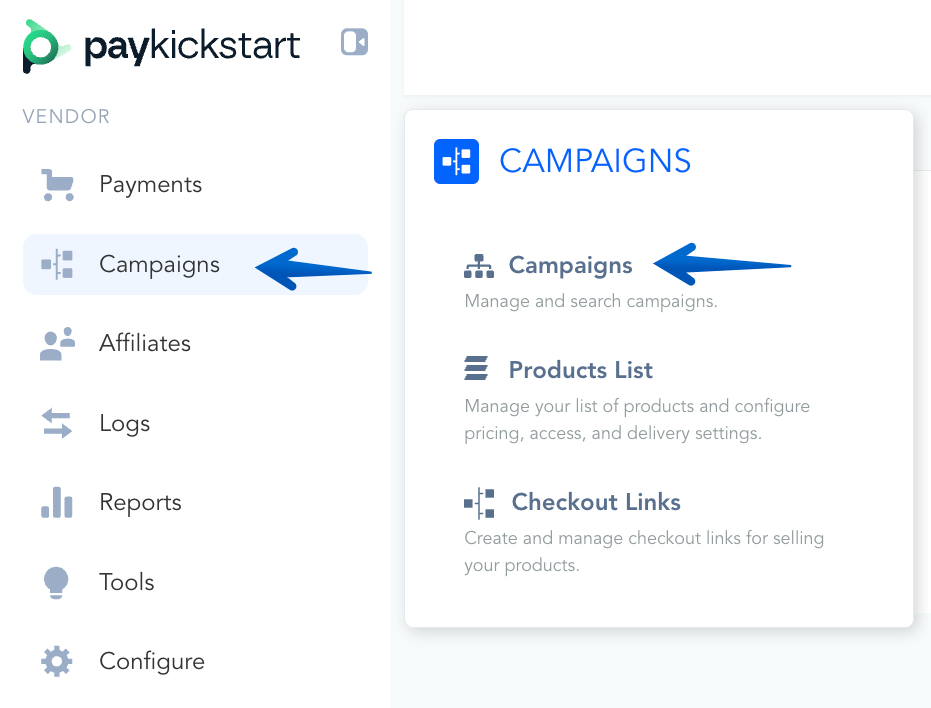
Go to Campaigns on the left sidebar of your dashboard. Here, you’ll see your campaigns listed.
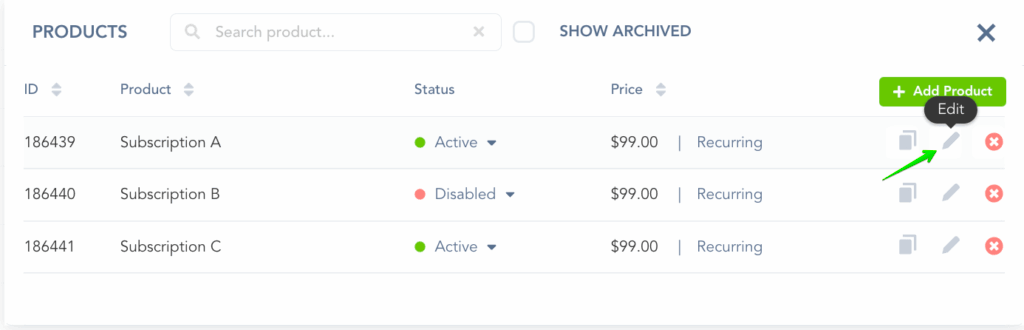
Locate the product you want to enable the subscription rule for and select edit product settings.
Step 2: Add the Subscription Rule
Step 2: Add the Subscription Rule
In the Payment Settings for your Product, under the Pricing section, make sure the payment frequency is set to RECURRING.
Then, you can set up a cancellation option for a related product from the same campaign.
This means that if a customer buys this new product, you can automatically cancel their subscription to the other product.
You may select multiple products that you’d like to cancel, depending on your preferences.
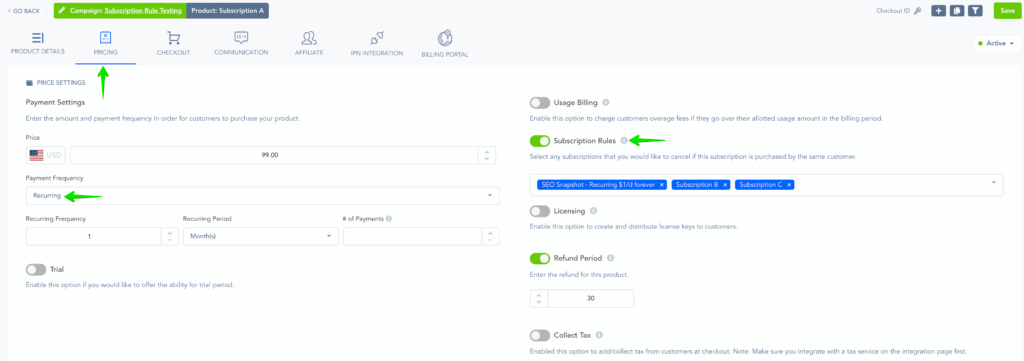
Please note that these subscription rules only apply to products within the same Campaign.
Once you turn on the Subscription Rule, if a customer’s purchase activates that rule, their old subscription will be canceled. This includes subscriptions that are currently in a free or paid trial period.
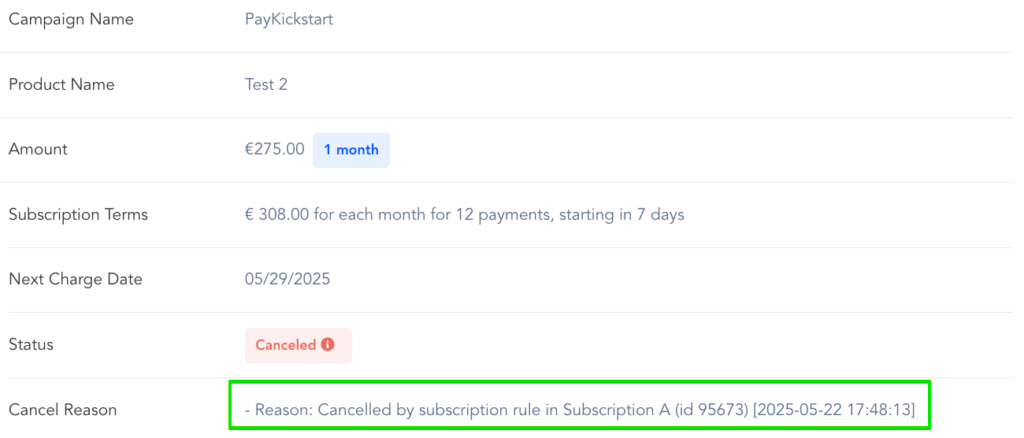
When you look at the cancellation details, it will show that the cancellation happened because of a subscription rule.
It will also tell you the Product ID that triggered the cancellation and the date it was canceled.
Good To Know
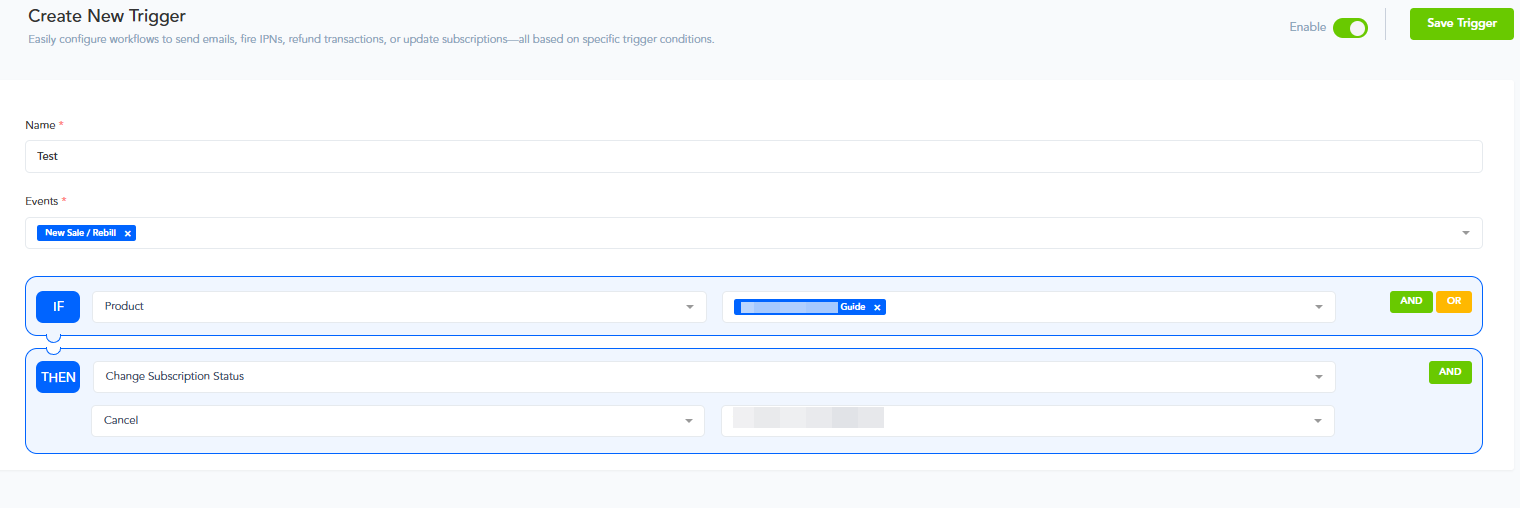
If you are looking into setting up a One-Time Charge Product / Lifetime Deal Purchase, instead of using the Subscription Rule, you can set up a Trigger instead.
By creating a Trigger you can choose to change a subscription’s status of a different product and choose to cancel it.
That way if a customer had a subscription that was already purchased, you can automate the cancellation for one-time purchases as well:
Find out more about setting up Triggers at → https://support.paykickstart.com/en/help/articles/5769237-setting-up-custom-triggers
Was this helpful?
Still need help? Ask the team