Creating & Viewing Unique Tracking Links for Your Affiliates
Written By Stefan S.
Last updated About 1 year ago
Vendors can look up a specific affiliate’s unique tracking link for any of the Campaigns owned by that vendor.
Go to Affiliates in the vendor navigation. Then click on the modify icon for the affiliate you want to see.
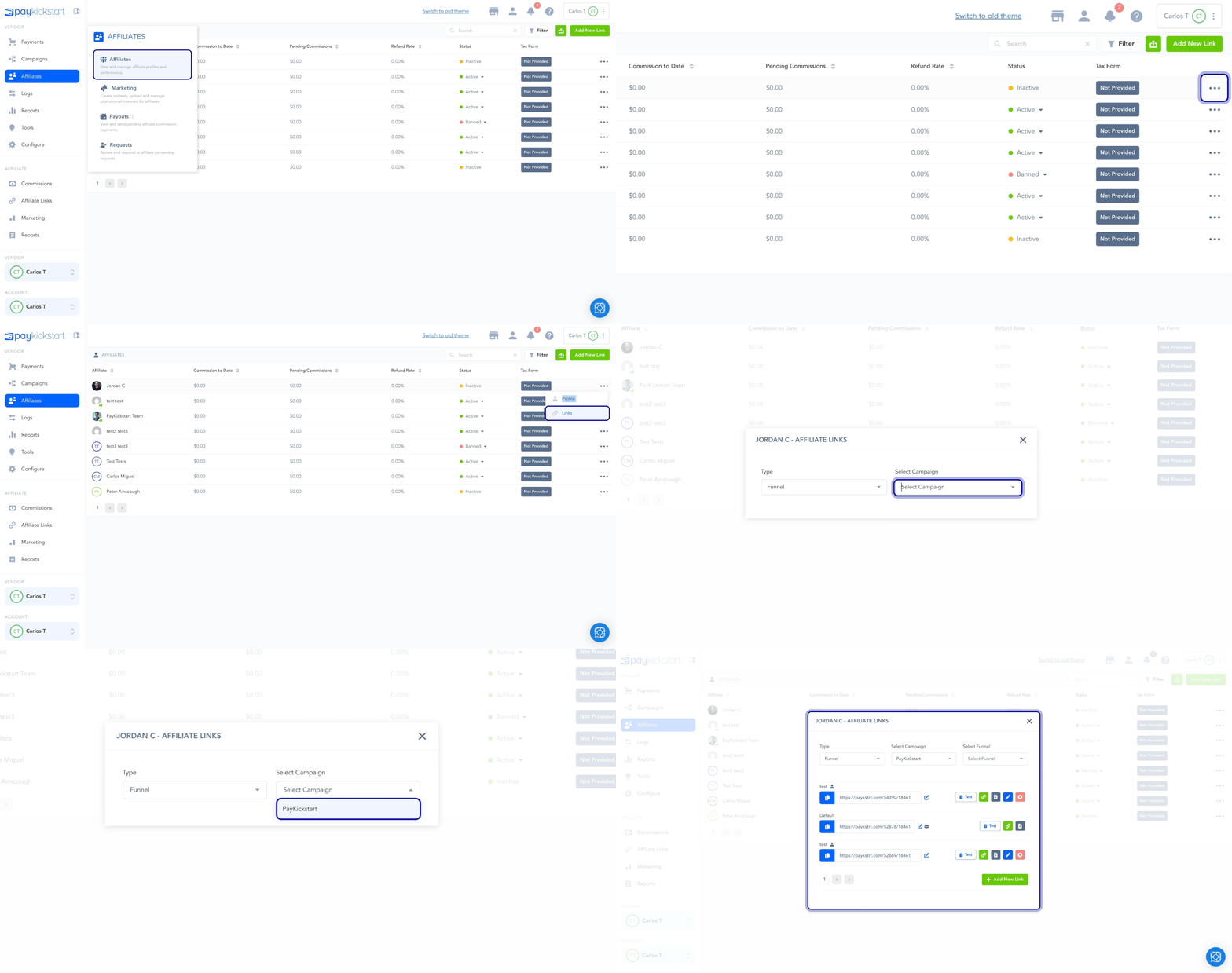
It will display all of their affiliate links, as well as the ability to add a unique tracking link associated with one of your campaigns.
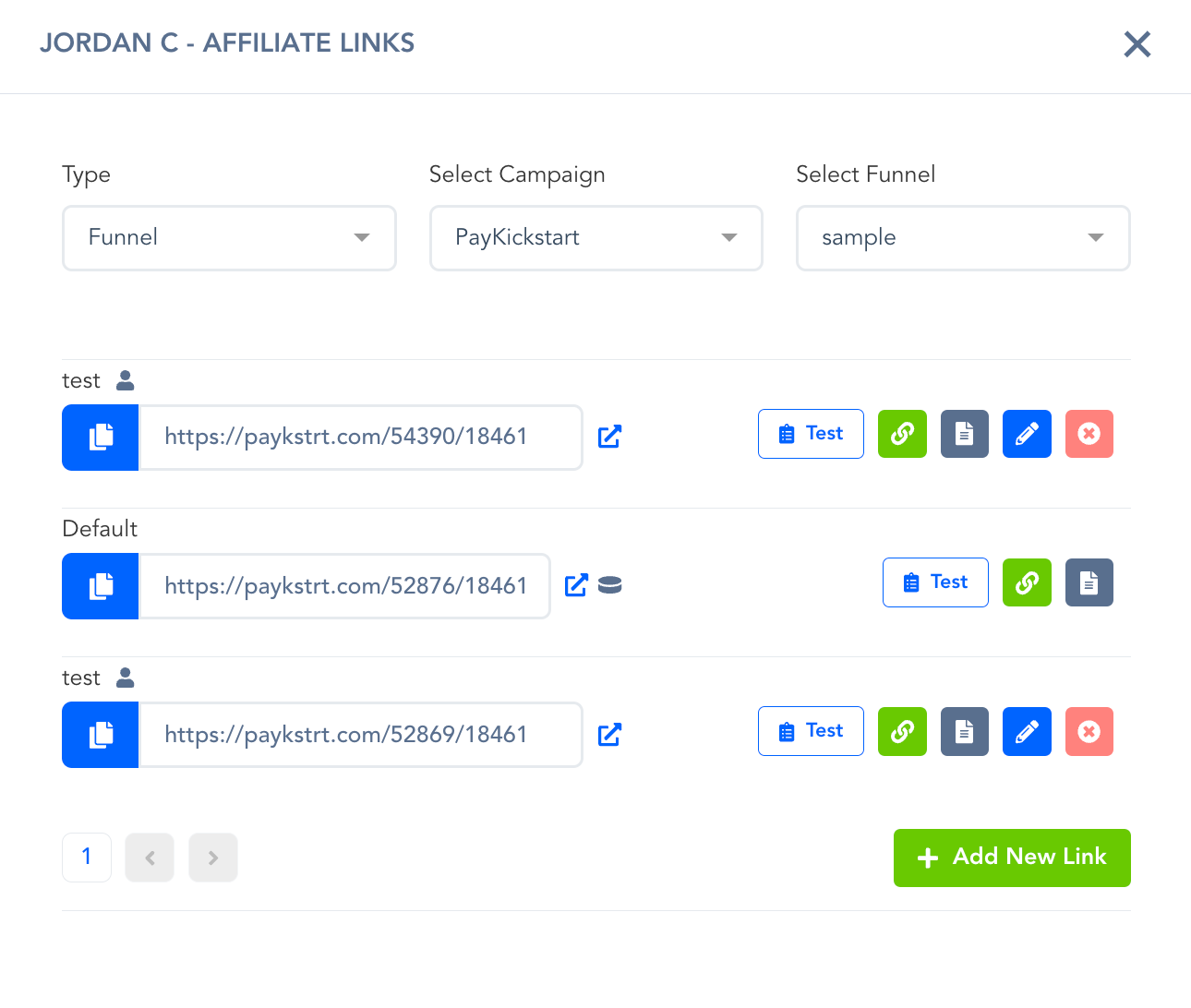
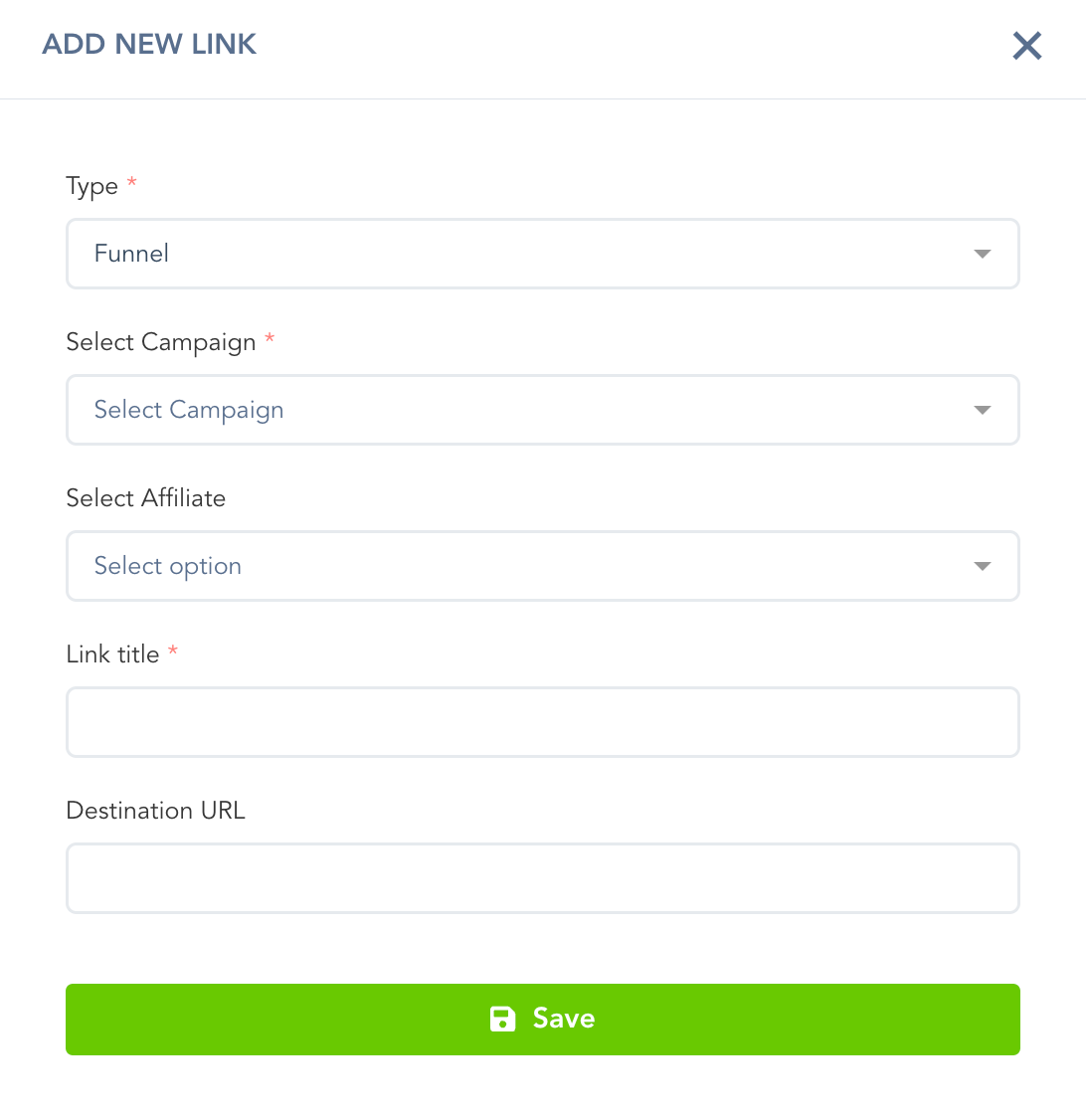
If you want to create a New Link for an affiliate, after clicking the New Link button, you will see a pop-up modal.
Please select the Campaign and Funnel that the link should be associated with, provide a unique name for identification purposes, and specify the URL to which the tracking link should redirect.
Was this helpful?
Still need help? Ask the team