Creating an Affiliate Contest
Written By Angela L
Last updated About 1 year ago
Vendors have the ability to create affiliate contests to be used as motivation for affiliates.
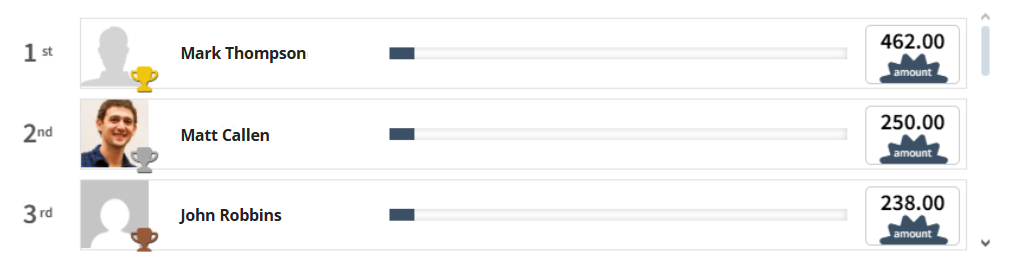
To set up your own Leaderboard widget, take a look at our quick demo, or follow our step-by-step guide below:
Step 1: Access the Affiliates → Marketing → Contests Section
Step 1: Access the Affiliates → Marketing → Contests Section
In your PayKickstart account go to Affiliate > Marketing.
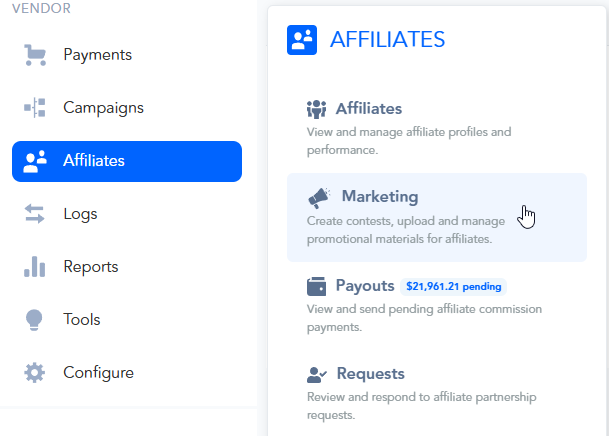
Then, access the Contests section.
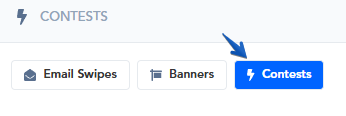
To go directly to the Contests section, you can also follow this link:
→ https://app.paykickstart.com/vendor/contests
Step 2: Create a New Contest
Step 2: Create a New Contest
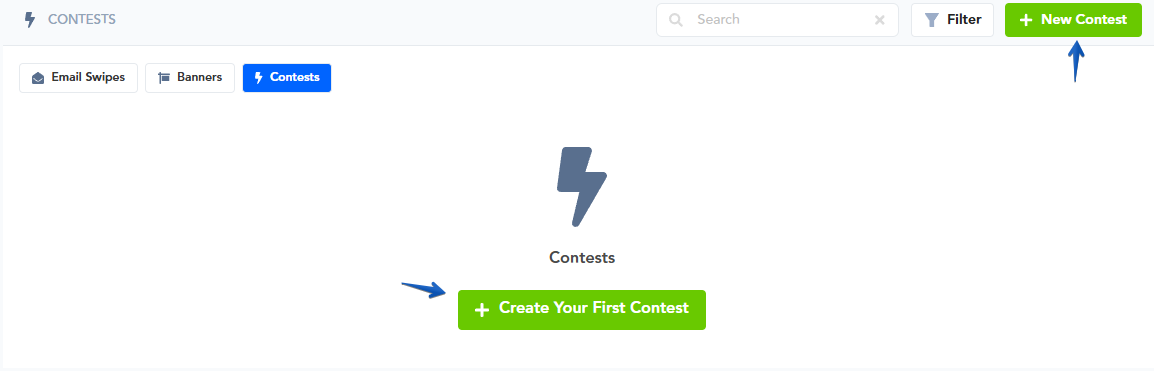
Create a new Contest Widget by clicking on + Create Your First Contest
Or, if you already have existing widgets, click on the + New Contest in the top right corner.
Step 3: Fill in the requested information to set up your Affiliate Contest
Step 3: Fill in the requested information to set up your Affiliate Contest
Products: Select the product(s) you want to relate the contest to.
Contest Name: Name of your contest. This is a public name
Dates: (From) – Start Date (To) – End Date
Base Type: Type of contest.
→ Sale: Based on the count of total sales.
→ Amount: Based on the $ amount of total sales.
→ Leads: Confirmed Leads the affiliate brought in.
→See Lead Campaign Guide 🔗Display # Of Affiliates: How many of the top contest affiliate spots you want to show on the leaderboard.
Display Sales Revenue: Enable if you want to show affiliates the sales revenue related to sales and the contest. Disable if you want to hide revenue stats.
Include Entire Split-Pay Revenue: If enabled, it will show the total split-payments amount on the leaderboard. Ex: If the split-pay was $100×3 and the customer paid $100 today, the leaderboard would show the entire $300 on the leaderboard today.
Exclude Affiliates: Select any affiliates you want to prohibit from participating in the contest.
Notes: Internal notes you have about the contest.
Once you have created the contest, you can view the leaderboard within your Vendor account, by accessing the Affiliates → Marketing → Contests Section.
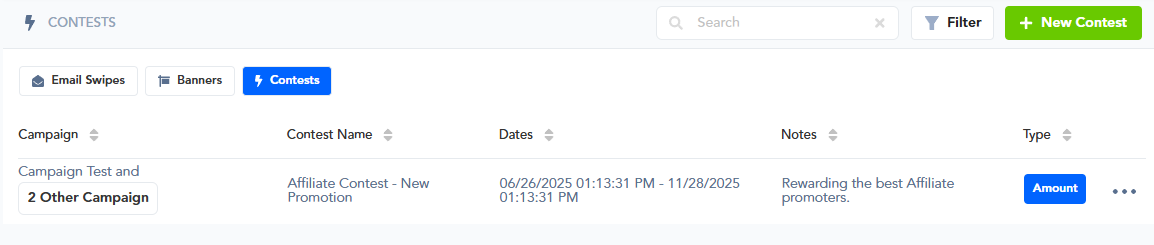
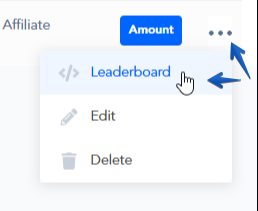
You can view your Leaderboard Widget and copy the code to embed it onto your own page of choice by clicking on the 3-dotted menu icon, and selecting the Leaderboard option.
Simply copy the code, and paste it onto a page as an HTML / Custom iFrame code in your Landing Page Builder options:
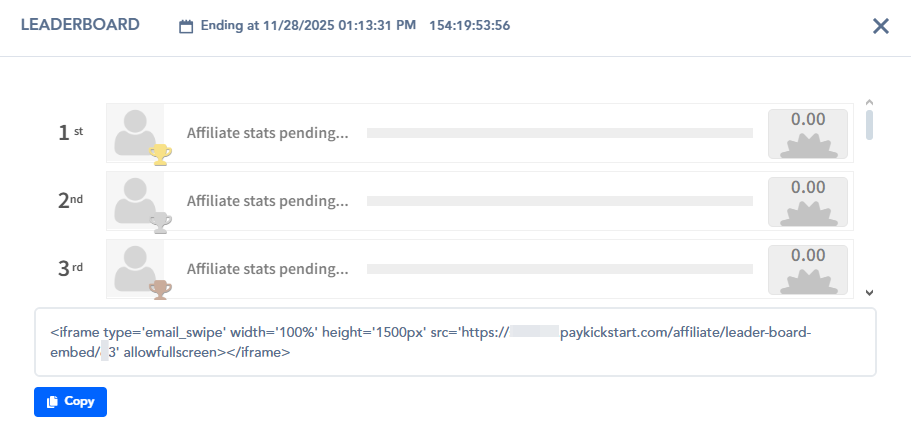
Once you embed the Affiliate Contest Widget onto any webpage, all contest stats will be automatically updated and displayed dynamically for you without you ever having to calculate sales totals and manually creating leaderboard updates.
Please Note: The Contest Widget only takes the selected products into consideration when presenting affiliate-related sales stats.
The Affiliate Summary within your dashboard in PayKickstart would include sales of all products affiliates are approved to promote.
In case products offering the “Split Pay” option are selected within the Contest’s options, the Contest Widget would show the full amount that would have been received once all split pay payments had been completed successfully if an affiliate makes a sale of that product, where the customer had chosen to pay via the Split Pay option.
Was this helpful?
Still need help? Ask the team