(Authorize.net Error) Customer Information Manager Not Enabled
Written By Stefan S.
Last updated Over 1 year ago
This error typically happens only with older users of AuthorizeNet. Newer AuthorizeNet accounts typically come with this feature automatically enabled, but older accounts will require you to enable it.
You will need to enable Customer Information Manager (CIM) in your AuthorizeNet account so that PayKickstart can push the payment over to Authorize.
Step 1: Login to your AuthorizeNet account
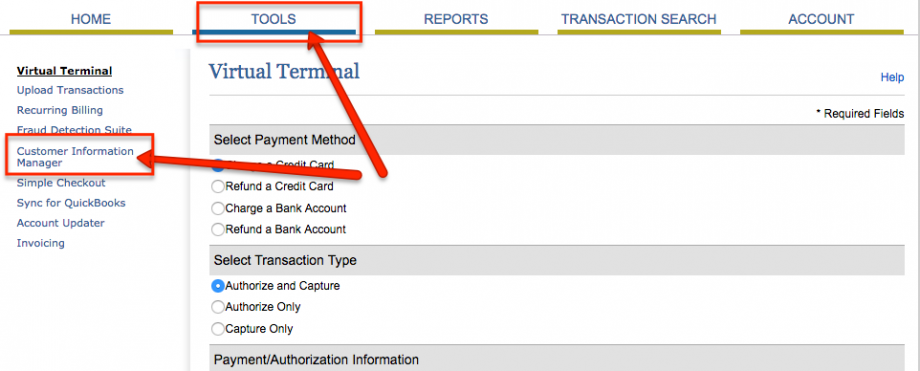
Step 2: Click Tools → Customer Information Manager (see screenshot below)
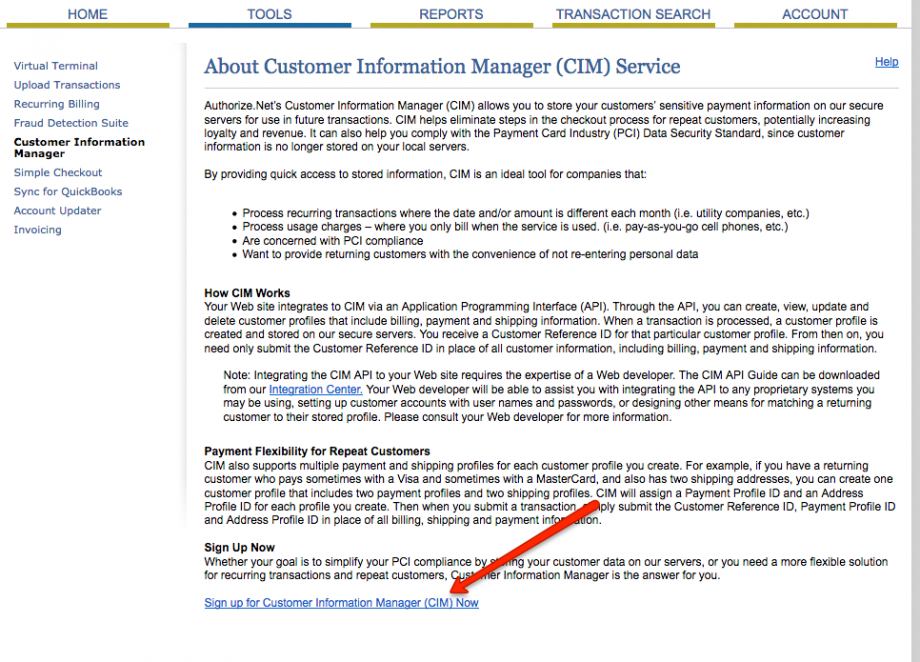
Step 3: Click the Sign up for Customer Information Manager (CIM) Now
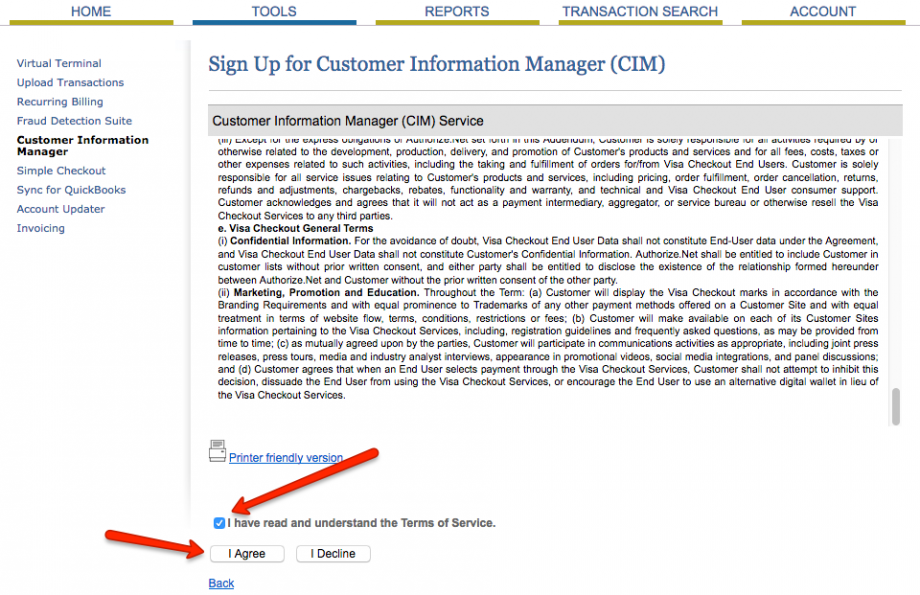
Step 4: On the next screen, read the agreement and then Agree to the Terms of Service.
That’s it! After enabling, this error message should disappear.
Was this helpful?
Still need help? Ask the team