Sending Affiliate Commission Payments via a PayPal Mass Pay File
Written By Stefan S.
Last updated About 1 year ago
For payments accepted through a credit card or other means other than PayPal’s adaptive/instant payment, those commissions will need to be manually paid out.
The most convenient way to pay out your affiliates is using the PayPal Mass Pay option.
To do this, follow the steps below:
Step 1: Download the List of Manual Commissions to be Paid out
Step 1: Download the List of Manual Commissions to be Paid out
Click on Affiliates > Payouts > Manual, then click on Manual. You can then sort by transaction or by affiliate, depending on how you are looking to payout those commissions.
Note:
Filter the commissions and select PayPal for the commission type. This filter will show you all affiliates’ commissions eligible for PayPal Mass Payment.
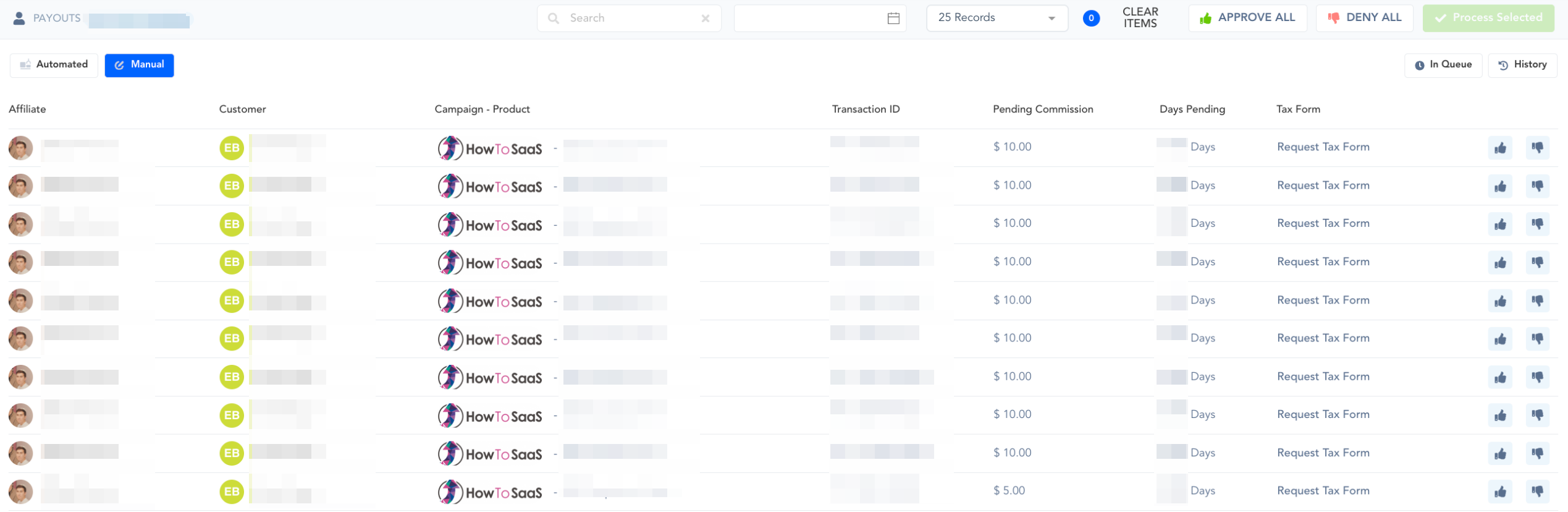
Click the Approve All button to process all commissions. If you’d like to process some of the commissions, click the thumbs-up button to mark it as selected, and then click the Process Selected button.

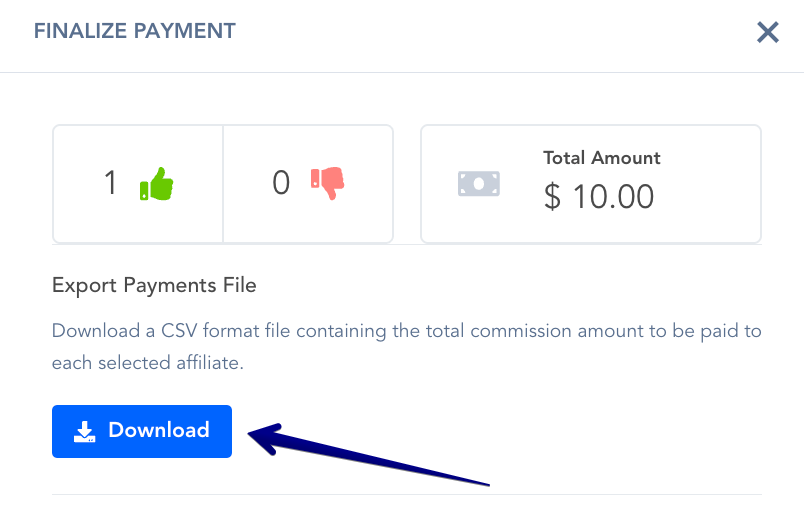
You will then Download the File (Standard CSV). DO NOT “Mark as Paid” until you have sent payment.
Step 2: Uploading the List to PayPal
Step 2: Uploading the List to PayPal
Log in to PayPal and go to: https://www.paypal.com/merchantapps/appcenter/makepayments/payouts
If this is your first Masspay, you will need to apply to PayPal Mass Pay.
After enabling PayPal Mass Pay, go to:
https://www.paypal.com/payoutsweb/batchFileUpload
Click to upload using Web Interface.
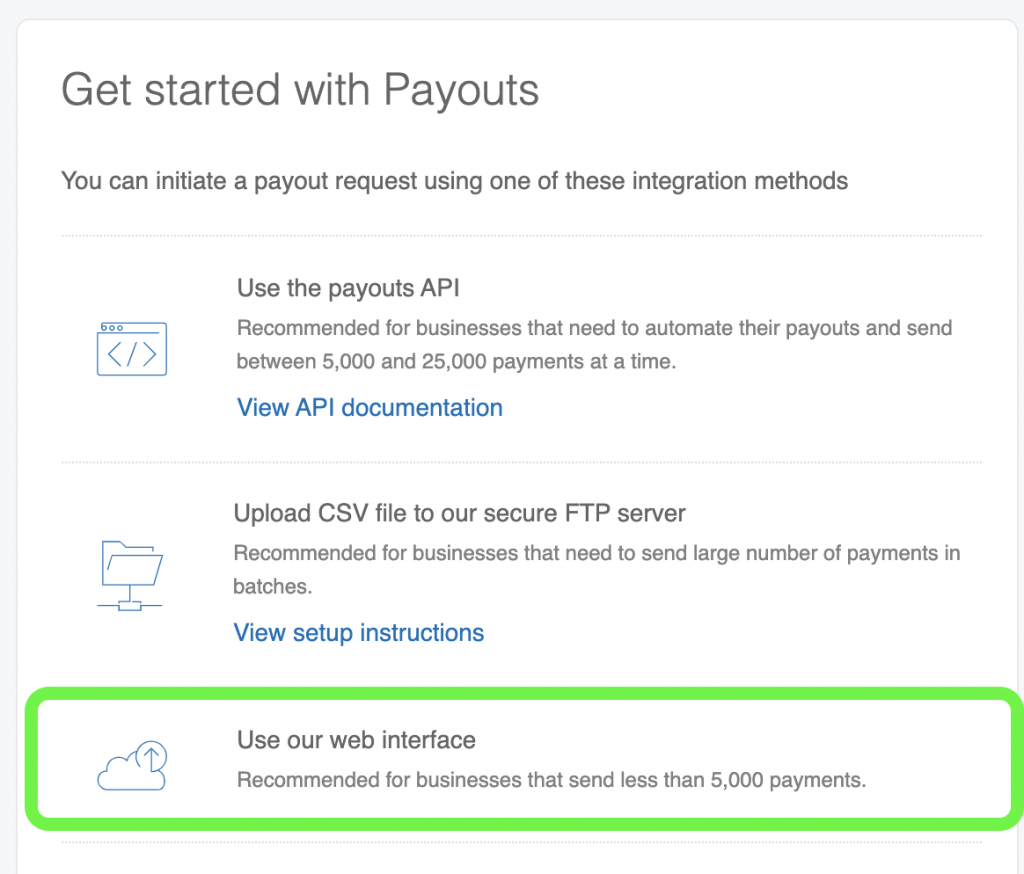
Take the CSV we provided and upload it to PayPal. Review and send payment. Make sure you have enough funds in your PayPal account to cover the total payment.
Step 3: Finalize the Commissions’ Payment
Step 3: Finalize the Commissions’ Payment
This is the final and most important step in paying out manual commissions.
Ensure that the commissions are marked as Paid after paying out the affiliate on PayPal.
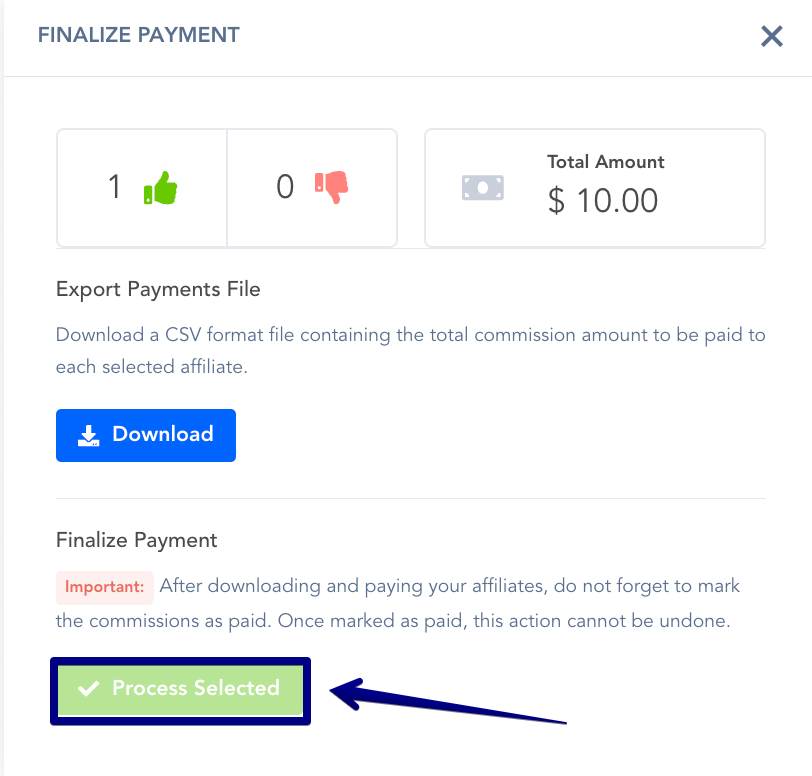
Click Process Selected to finalize the payout.
Was this helpful?
Still need help? Ask the team