Creating a Checkout Page without Creating a Funnel
Written By Carlos
Last updated 9 months ago
Some vendors are looking for just a quick and easy way for their customers to purchase their product or service. This is great if you don’t plan on offering any upsells or have a specific sales funnel path that you want your customers to go through after purchasing the initial offer/product.
There is a way to quickly grab a checkout URL for any product, without having to create a funnel.
PLEASE NOTE THE FOLLOWING:
– Since the stand-alone checkout is not part of a sales funnel, no funnel sales or traffic metrics will be associated with purchases or traffic made with the stand-alone checkout.
– For the same reasons as above, no affiliates will be credited for sales from the stand-alone checkout URL
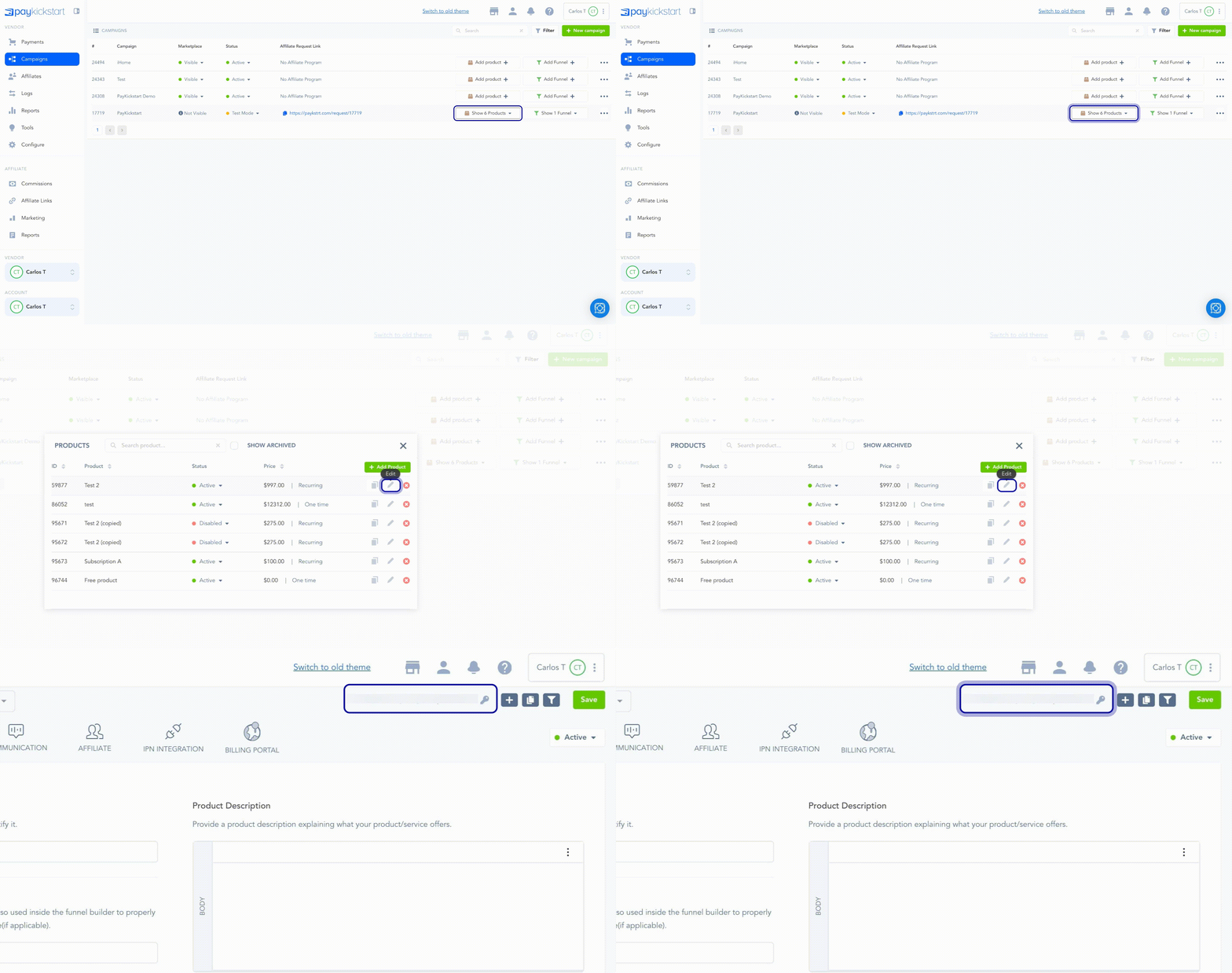
Go to Campaigns → Edit Product, then hover over the Checkout ID and grab that encrypted ID.
Append that ID to https://app.paykickstart.com/checkout/plan/[Encrypted ID]
Example: https://app.paykickstart.com/checkout/plan/eyoho2og40dno2n
And that’s it. You now have a checkout URL that can be used for your customers to purchase your product or service.

Was this helpful?
Still need help? Ask the team