Setting Up Split-Payments
Written By Stefan S.
Last updated 7 months ago
If you offer a one-time charge product that carries a larger price or a subscription with a paid trial and you want to allow your customer the option to pay this amount in smaller payments, you can enable the Split-Payment options.
Adding a Split-Payment Option for a One-Time Charge.
Adding a Split-Payment Option for a One Time Charge
Adding a Split-Payment Option for a One Time Charge
In the product settings of the specific product you are working with, ensure your product pricing is set to “One time” and enable the split-payment feature below.
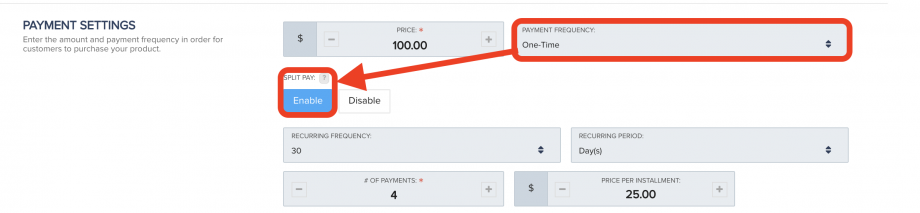
Then save the product settings.
Customers will now have the option to select the full payment or the split-payments you have set up.
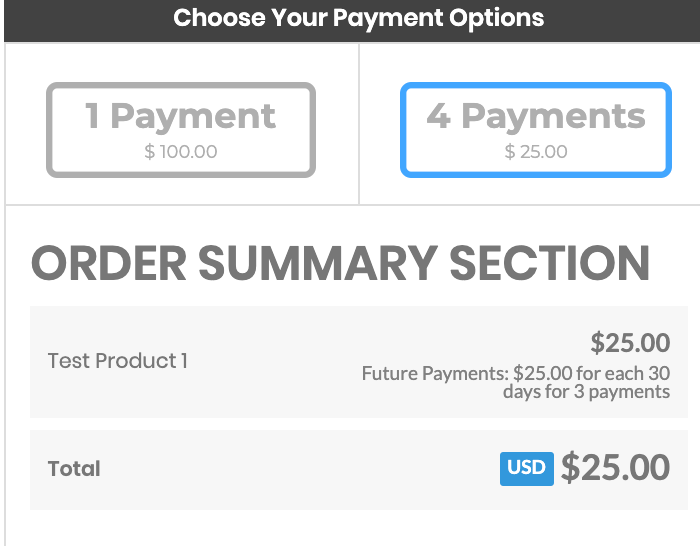
Adding a Split-Payment Option for a paid trial
Vendors have the ability to enable a split-payment option for paid subscription trials.
See more about Split-Payment Options for a Paid Trial
See more about Split-Payment Options for a Paid Trial
In the product settings of the specific product you are working with, set the product for the recurring price, enable the trial and set a paid amount for the trial.
You will see the split payment option for the paid trial apprear.
Set your split-payment options for the paid trial.
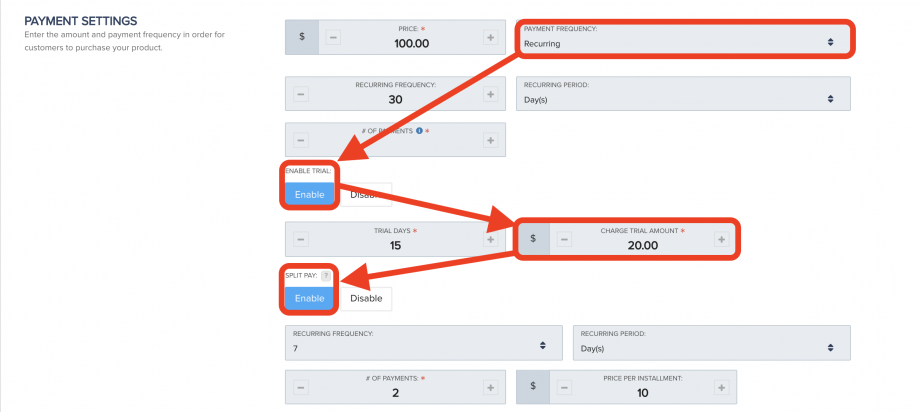
Then save the product settings.
Customers will now have the option to select the paid trial split-payment option you have set up for the trial.
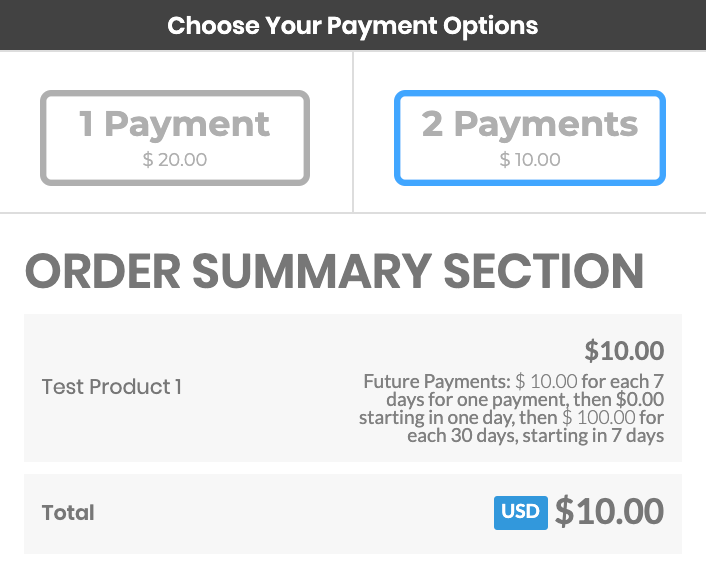
Auto-selecting Split-payment option on Checkout pages
(*Optional)
If you would like to have the split payment/installment option selected by default, you can add a parameter to your checkout page URL that will allow this.
All you need to do is add ?splitpay=1 to the end of the checkout page URL.
For example: https://app.paykickstart.com/checkout/4471?splitpay=1
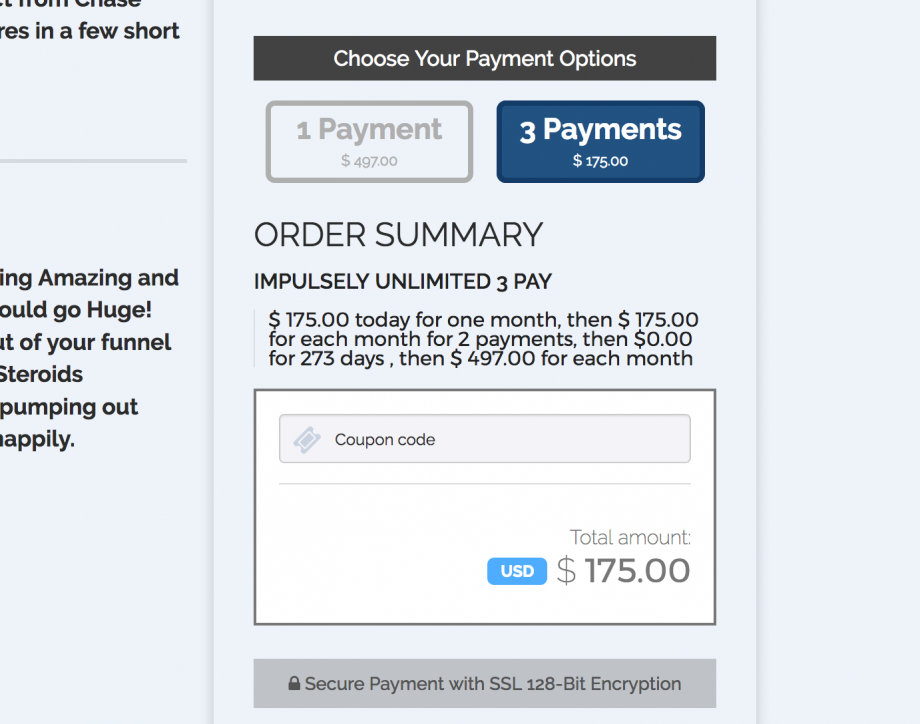
So when the customer lands on the checkout page, it will be selected, like this:
Was this helpful?
Still need help? Ask the team