Connecting Your PayPal Account to Receive Affiliate Commissions
Written By Angela L
Last updated About 1 year ago
In order to receive affiliate commissions to your PayPal account, you would need to add it to your Profile, so that Vendors can view it on their end as well for handling their affiliate payouts.
Let’s take it step by step and add your PayPal details to your Affiliate account:
Step 1: Access the My Profile → Affiliate tab section
Step 1: Access the My Profile → Affiliate tab section
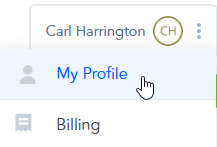
In the top right corner, click on your Profile widget.
Then access the My Profile section of your account.
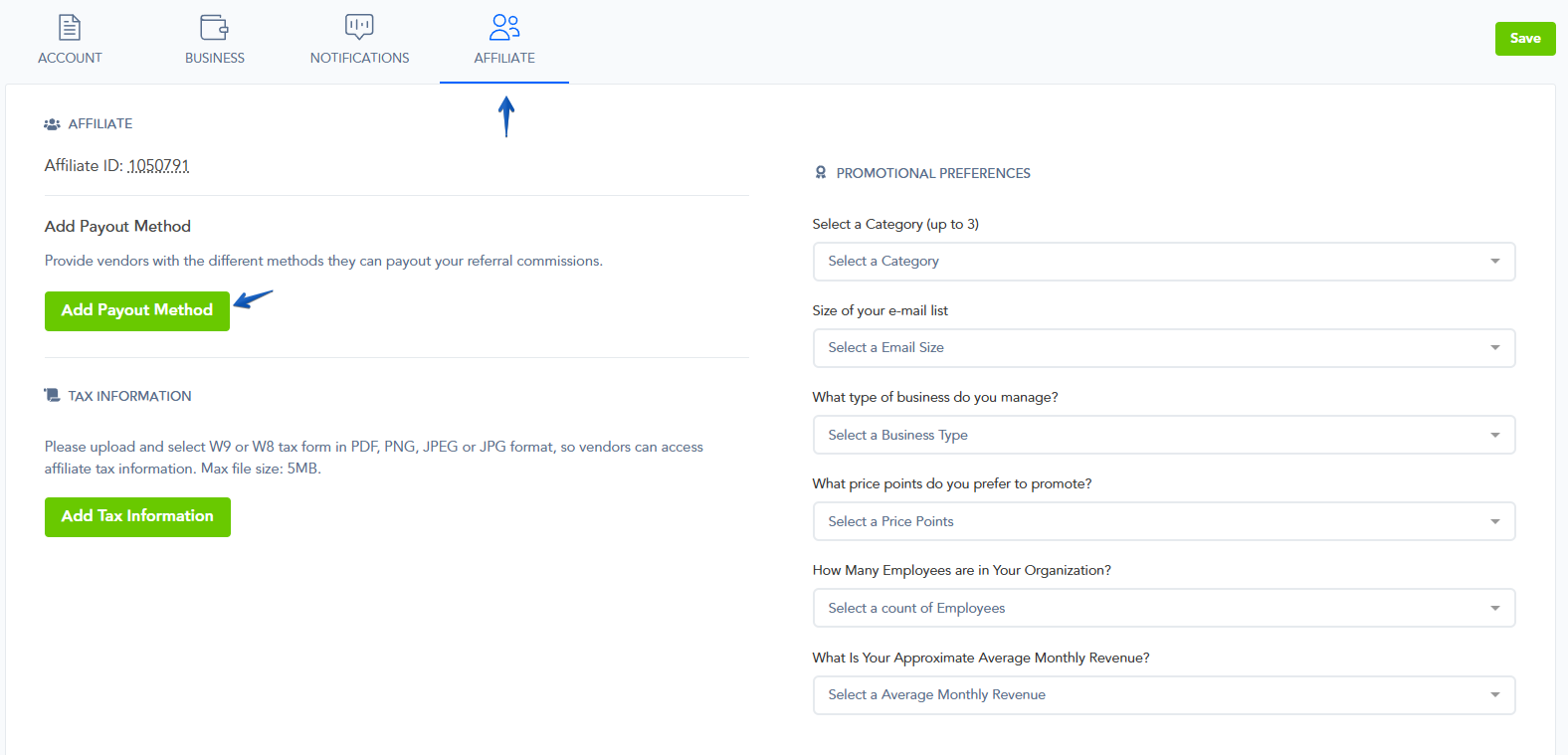
Once in your profile area, access the Affiliate tab.
In the Affiliate tab, you will notice the Add Payout Method option.
Select it, and a pop-up window will open, allowing you to enter your PayPal details.
Step 2: Add Your PayPal Details
Step 2: Add Your PayPal Details
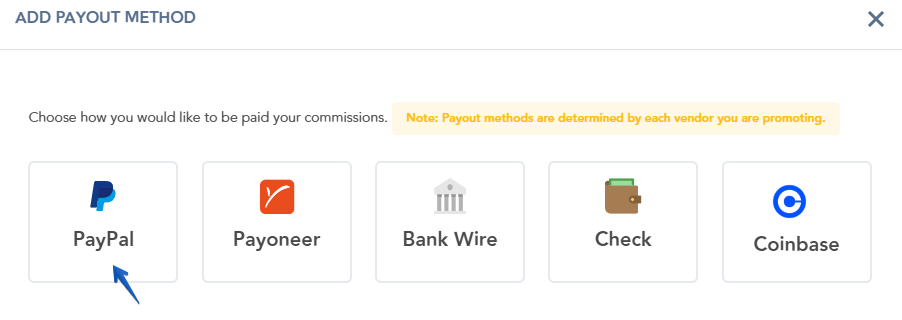
Select PayPal as the payout method.
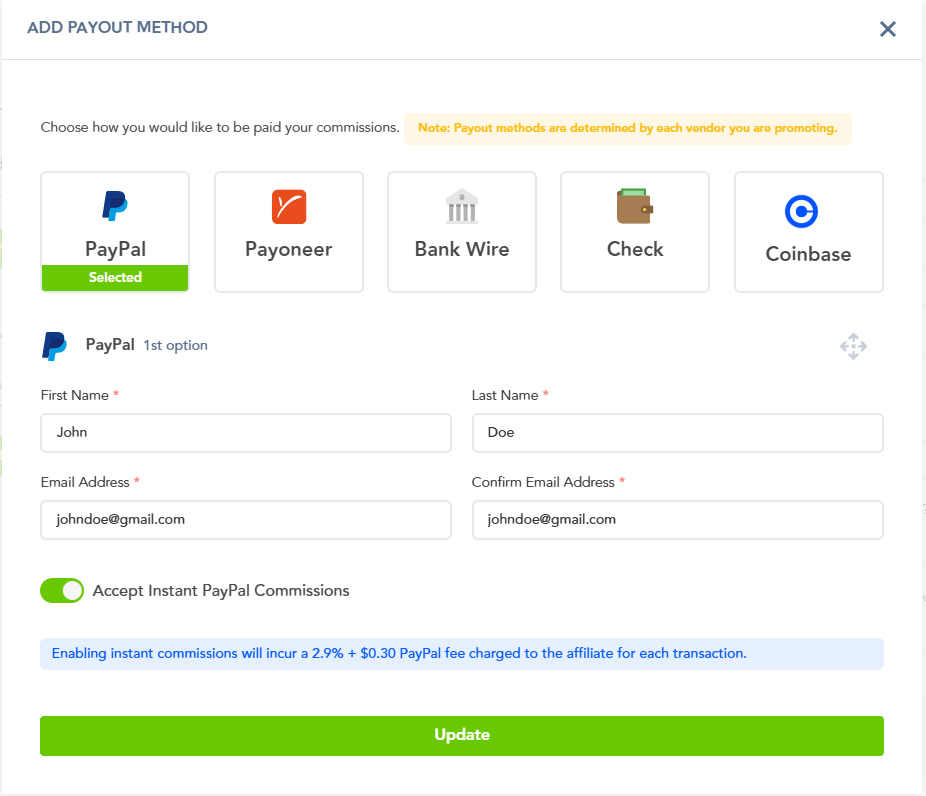
→ Enter your first name, last name, and email address.
→ Then, confirm your email address.
→ Choose if you wish to accept Instant PayPal Commissions.
→ Make sure to click on Update to save your details.
Important Note:
In order to receive Instant PayPal commissions, the vendor would need to approve you for Instant Commissions.
Enabling Instant Commissions will incur a 2.9% + $0.30 PayPal fee charged to the affiliate for each transaction.
Instant commissions can only be paid out via PayPal, only in cases where the customer also used PayPal to make their purchase.
For example, if a customer used a card to make their payment, the Vendor would need to release this commission on their end during their regular scheduled payout.
Once your PayPal details are updated, the Vendors will be able to view if you have added them to your profile and use them for commission payouts.
Please Note:
We recommend filling out your entire Profile section, and adding multiple payout method choices for vendors.
Checking the Vendor’s affiliate pages on their website, or communicating with the Vendor’s Support Team of the product you are promoting about their supported payout methods for their own Affiliate Program is recommended.
Each Vendor can choose which payout method(s) they support for their own products and affiliates.
Was this helpful?
Still need help? Ask the team