How Can I Issue a Partial Refund?
Written By Carlos
Last updated Over 1 year ago
Vendors can issue a partial refund on a transaction, so that a portion of the transaction amount is credited back to the customer.
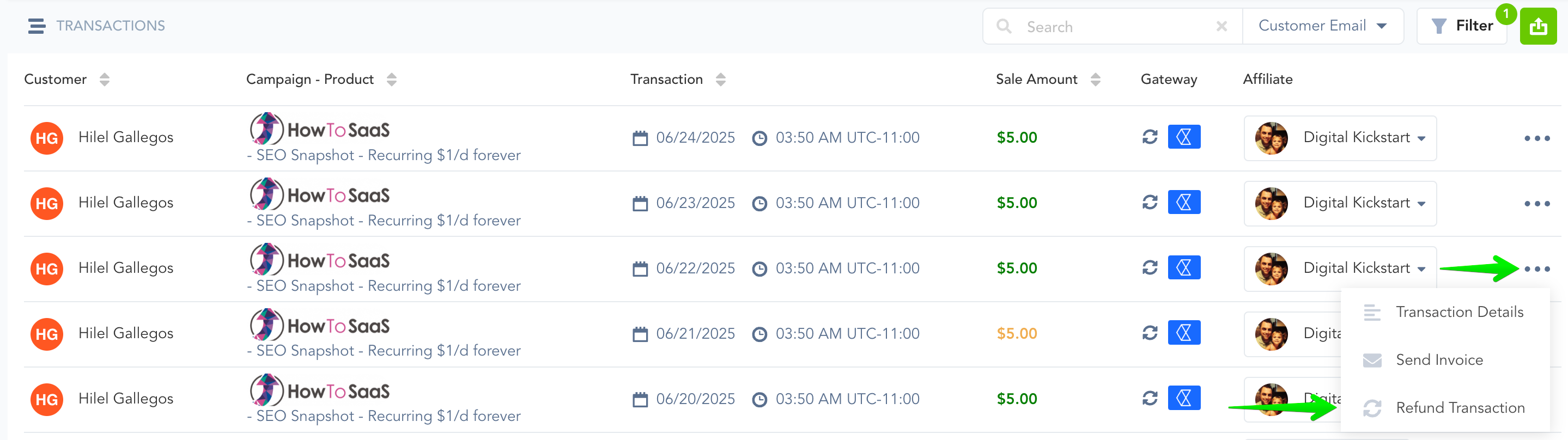
To issue a partial refund, click on Payments -> Transactions (Processed), then locate the transaction for which you would like to issue a partial refund.
Click the Refund Transaction button.
It will take you to a pop-up screen like below. Click Partial Refund, enter the amount you would like to refund, type REFUND in the box, the click “Refund This Sale”.

After you refund the sale, it will show up Orange, indicating that only part of the transaction has been refunded. When you hover over the amount, it will display a breakdown of what has been paid, refunded, and the current balance.

Was this helpful?
Still need help? Ask the team