Where Do I Find a W9/W8 Tax Form to Complete?
Written By Stefan S.
Last updated About 1 year ago
PayKickstart requires every affiliate to have a completed and signed W9/W8 tax form on your My Profile page inside of your PayKickstart account.
For U.S.-based citizens, please complete a W-9 Tax Form.
For Non-US based citizens, please fill out a W8-BEN Tax Form.
After filling out the corresponding tax form, please follow the steps below to upload the tax form to your PayKickstart account.
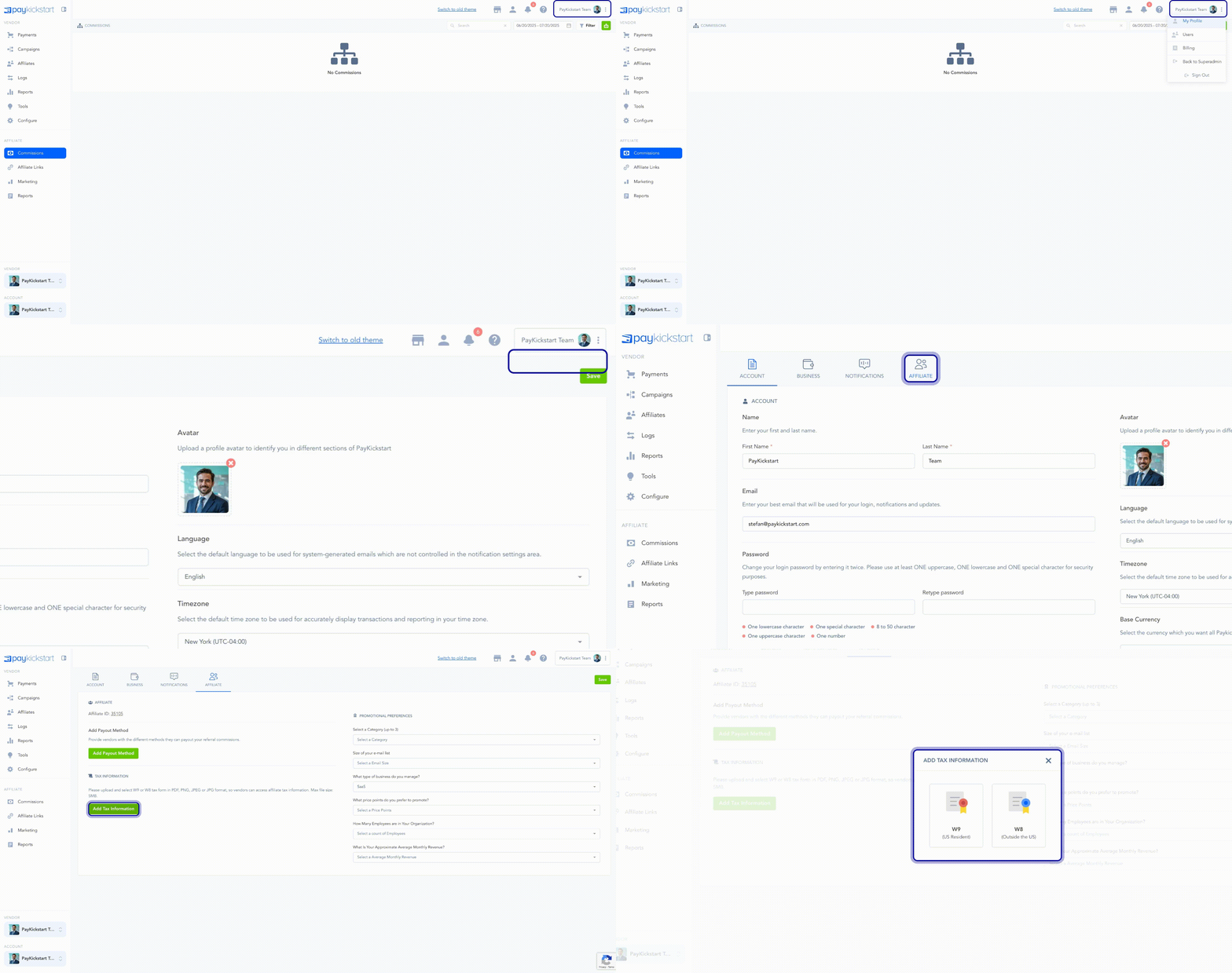
Step 1: In your PayKickstart account, Go to My Profile in the top right settings menu
Step 2: Once in My Profile go to the Affiliate section.
Step 3: Click the tax form icon for the corresponding tax form
Step 4: Select your tax file from your computer.
Step 5: Select Update to save.
If you have questions or need help with anything, you can contact us at Support@PayKickstart.com
Was this helpful?
Still need help? Ask the team