Adding Dispute/Chargeback Support for Braintree
Written By Stefan S.
Last updated About 1 year ago
PayKickstart can display dispute and chargeback transactions, but it requires you to set it up in your Braintree account. This will allow you to handle transactions and affiliate commissions properly so any lost disputes or chargebacks don’t get credited to the affiliate.
Here are the steps to follow:
Step 1: After integrating Braintree, Grab the Webhook URL provided by PayKickstart in the payment gateway integration section for Braintree.
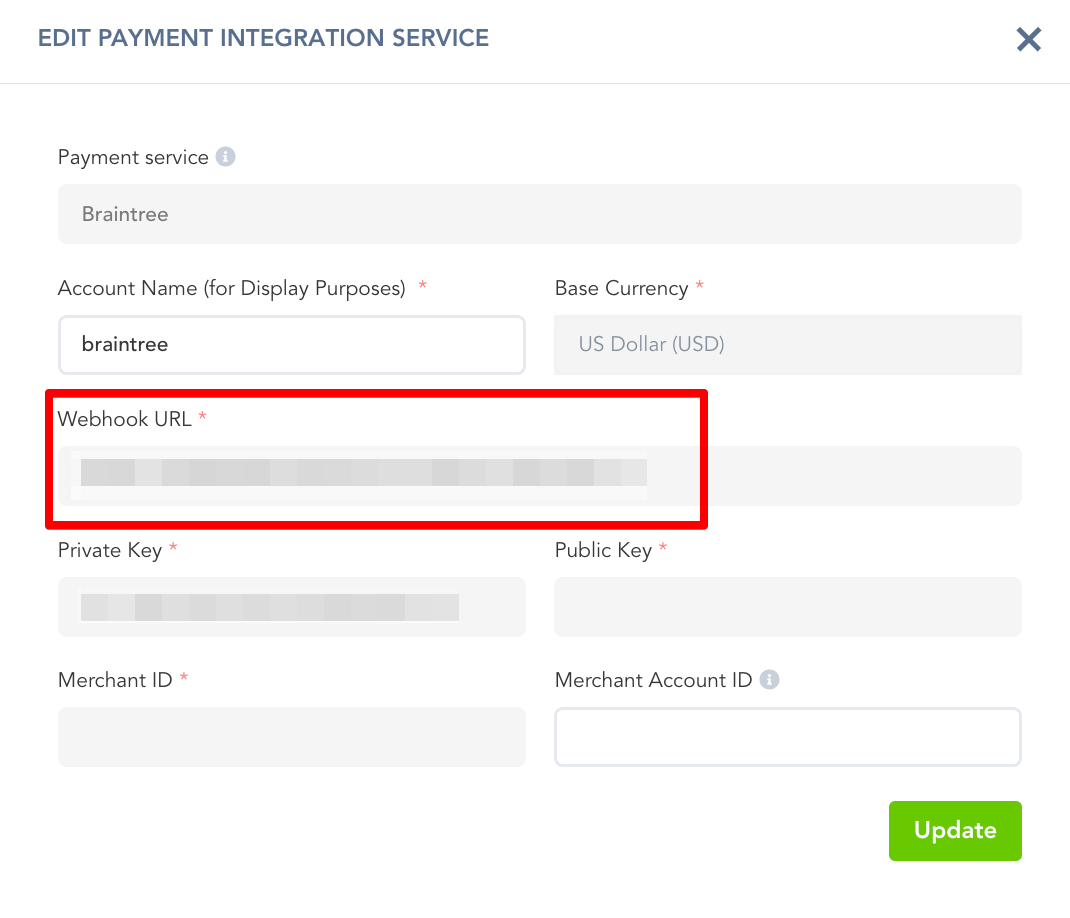
Step 2: Login to your Braintree account.
Go to Settings >> Team, edit “Roles”
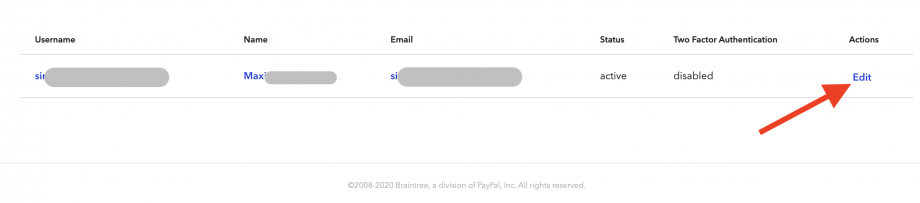
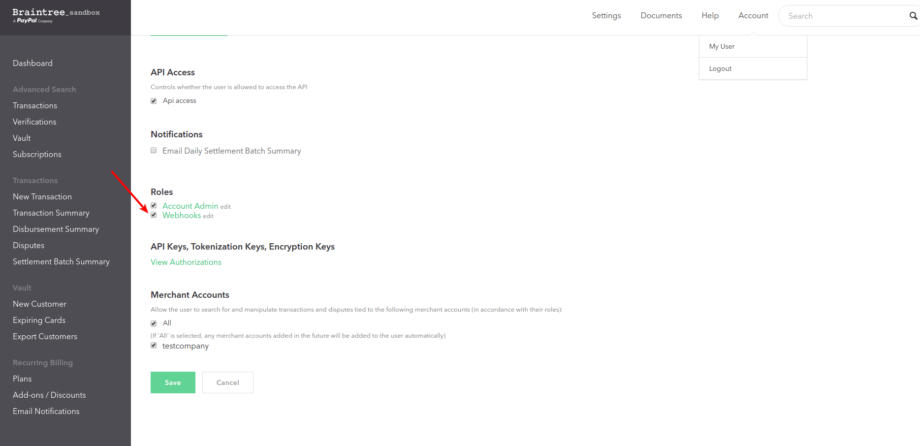
Then, ensure “Webhooks” is selected for the user.
Step 3: Go to Settings -> API >> Webhooks, then click “Create New Webhook“.
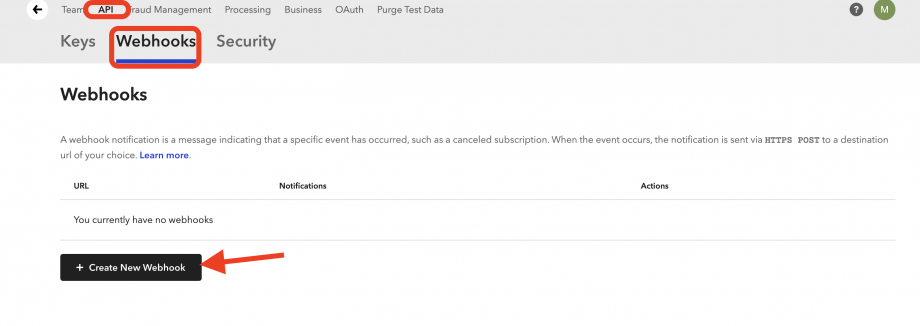
Step 4: Enter the webhook from PayKickstart as the destination URL.
Make sure you tick all of the options under “Dispute”.
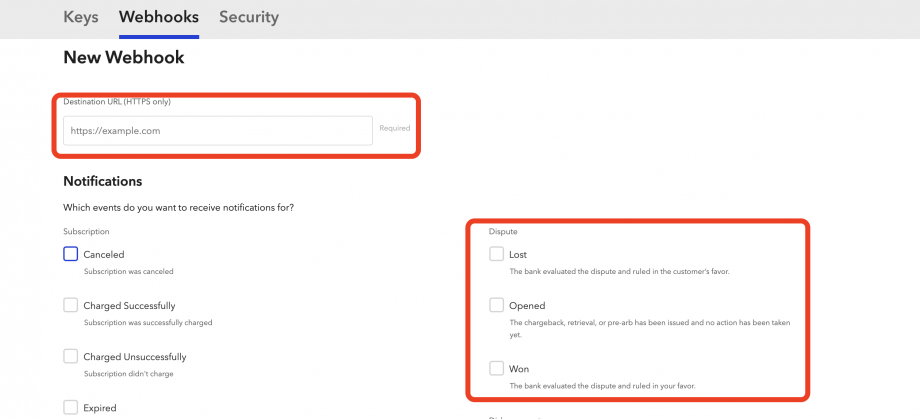
Braintree will now be able to update PayKickstart transactions to reflect the Opened, Lost, and Won Dispute statuses from Braintree and related transactions.
Was this helpful?
Still need help? Ask the team