
Changelog

Follow new updates and improvements to PayKickstart.

🔁 Subscription Billing: Upgrade/Downgrade - Switch Customers to the Same Product
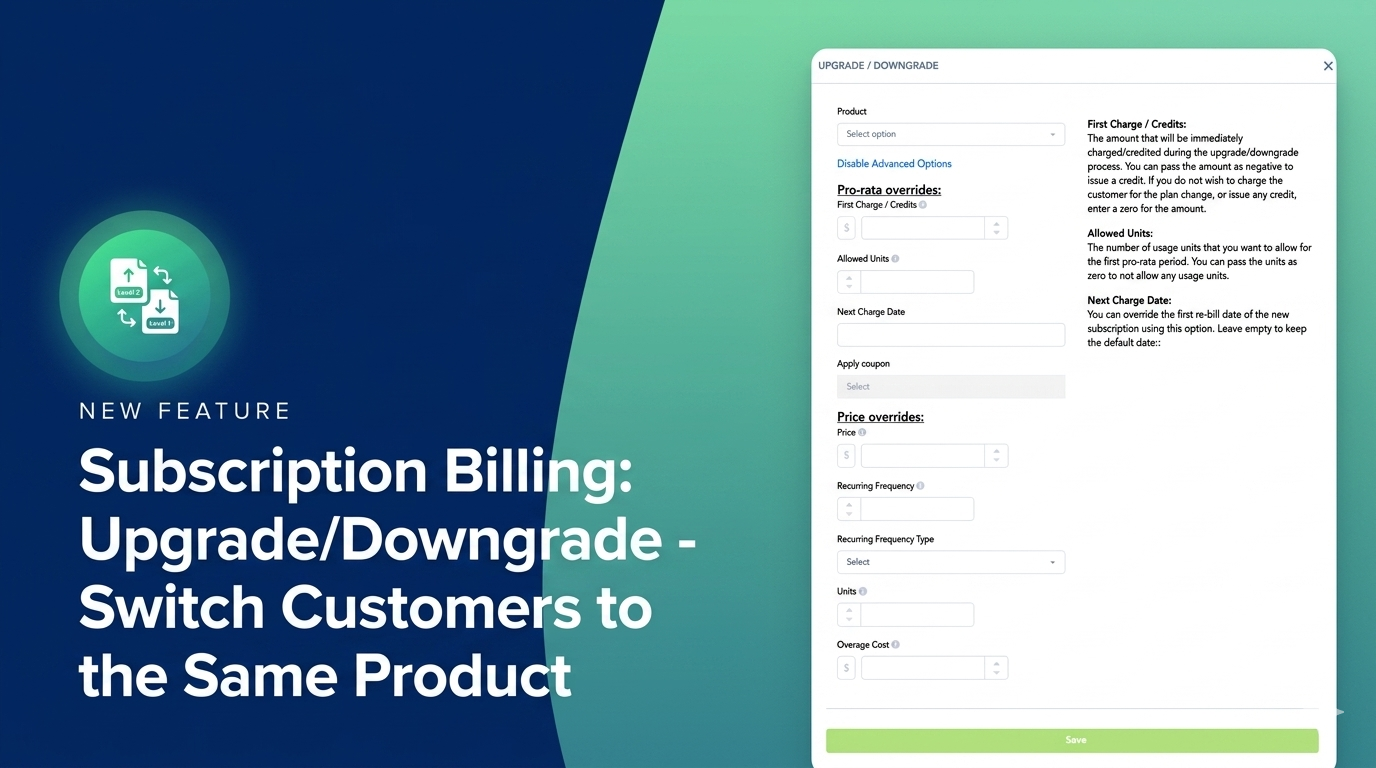

Up to now, it was impossible to reset the customer’s terms by switching them to the same product. We heard your feedback and are making changes to this logic!

We just released an update that will allow you to switch the customer’s plan to the same product.
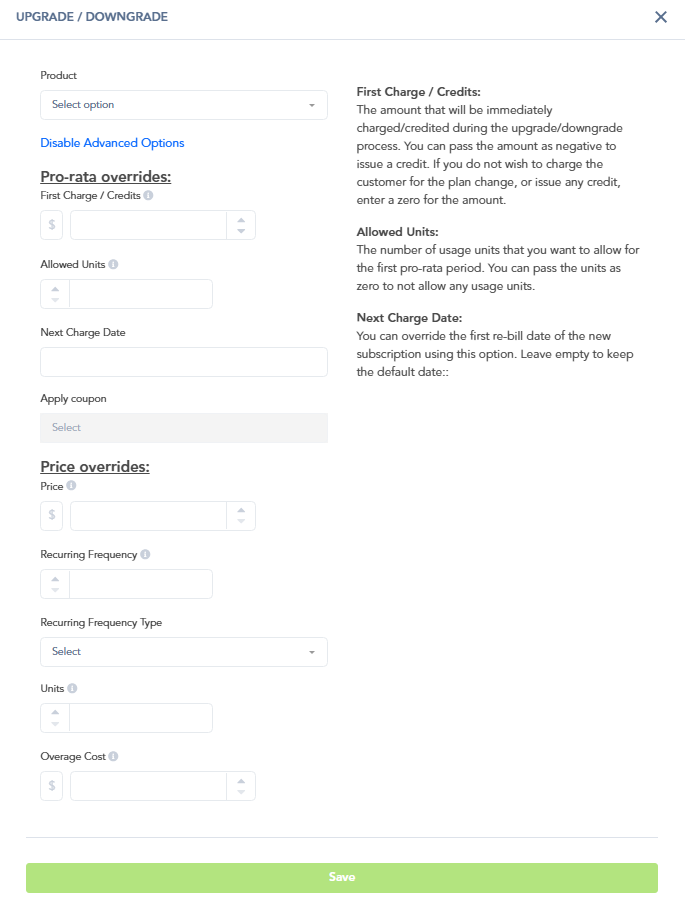

With this improvement, you are also able to manage the product’s price for future charges, making it simple to set new terms for the customer without having to switch them to an entirely different product.

Now you can handle manual changes to the customer’s plan or their current pricing without having to switch them to a different plan first!
Scheduled Maintenance: Leveling up the PayKickstart Experience

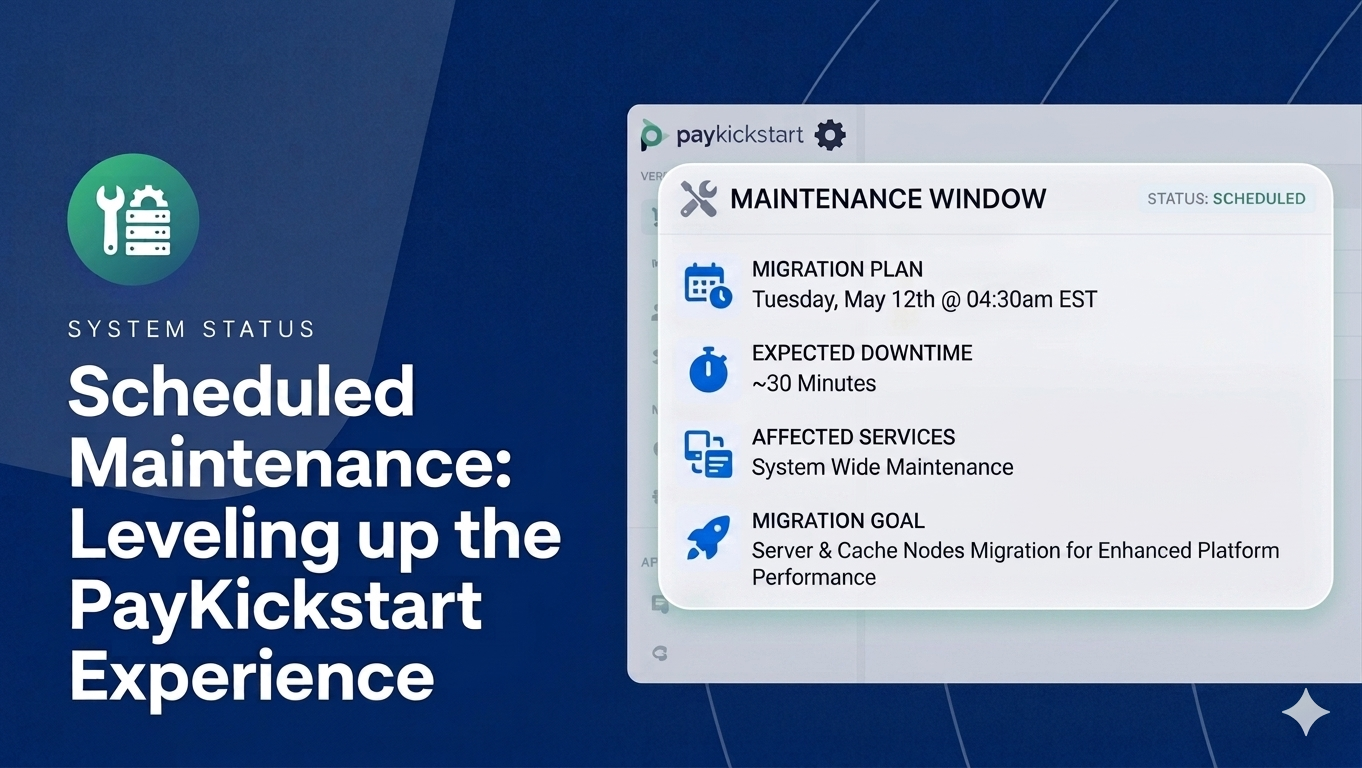
At PayKickstart, we’re committed to providing you with the fastest, most reliable checkout experience possible. To keep that promise, our development team will be performing a critical server migration to our new cache nodes next week.

Scheduled Maintenance Notice:


When: Tuesday, May 12th, at 04:30 AM EST

Duration: Approximately 30 minutes.

Impact: Both the PayKickstart application and all checkout pages will be temporarily offline during this window.

We’ve chosen this window to minimize disruption, but we recommend pausing any major traffic campaigns or product launches during this brief period.


We appreciate your patience!

Kind regards,
The PayKickstart Team

Improvement

New Dunning User Interface and More Rebill options


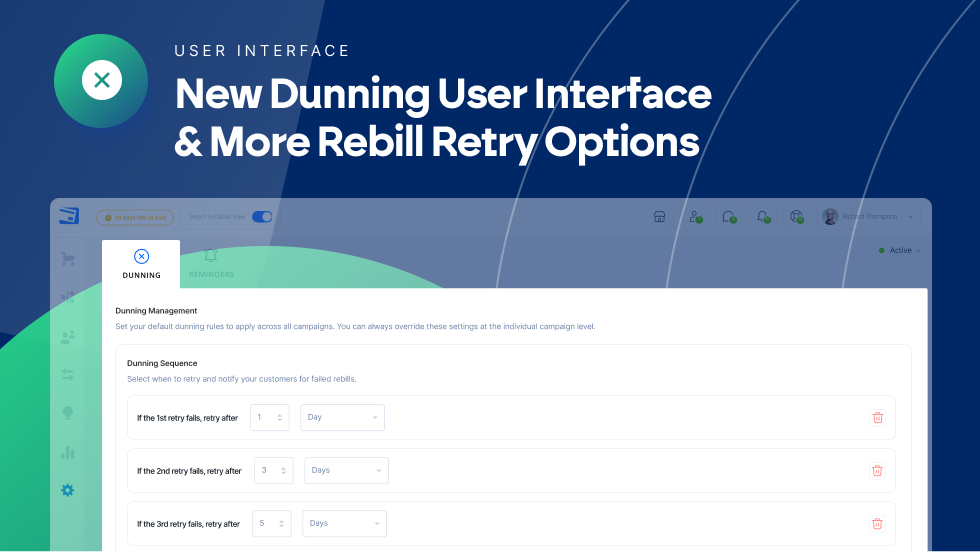
Recovering lost revenue shouldn't be a manual chore. We’ve redesigned the PayKickstart Dunning engine to give you complete, automated control over how you handle failed subscription payments and reduce churn.

What’s New?

  • Redesigned UI: A streamlined user interface to manage your billing recovery options.

  • More Billing Retry Sequences: Set up to 5 retry attempts with specific delays for each.

  • Granular Control: Toggle "Update Billing" emails for specific attempts and choose Final Actions such as Pause, Cancel, or to Do Nothing.

  • Smart Recovery: Automatically maintain the original billing date when a payment succeeds, preventing lost revenue due to late payments.

For a full step-by-step guide on configuring these settings in your vendor dashboard, please visit our Knowledge Base article here.

Earlier updates